How Do I Clear My Notifications Quickly and Easily
Knowing how do I clear my notifications on your vehicle dashboard can save you time and reduce stress every time you get behind the wheel. Whether it is a lingering maintenance reminder, a tire pressure warning, or a simple infotainment alert, clearing car notifications is a straightforward process once you know where to look. This guide covers every major vehicle system and offers model-specific tips so you can reset your dashboard quickly and confidently.
You are driving down the road, and suddenly a little warning symbol lights up on your dash. It stays there. Maybe it is a maintenance reminder, a tire pressure alert, or a message from your car’s information center. No matter what it is, one thought crosses your mind: how do I clear my notifications on this thing?
Car dashboards can feel like a mini control panel from a spaceship. With so many symbols, lights, and messages popping up, it is easy to feel overwhelmed. The good news is that clearing notifications on your vehicle is simpler than most people think. Once you understand how your car communicates with you, you can handle those alerts like a pro.
In this guide, we walk you through every method for clearing dashboard notifications, from basic maintenance reminders to more complex warning lights. We cover popular car brands, common infotainment systems, and practical tips that work for almost any vehicle on the road today.
Key Takeaways
- Dashboard notifications serve a purpose: They alert you to maintenance needs, safety warnings, and system updates in your vehicle.
- Clearing methods vary by car brand: Each manufacturer has its own step-by-step process for resetting dashboard alerts.
- Regular maintenance reminders are easy to dismiss: Most vehicles let you clear service intervals with just a few button presses.
- Warning lights need attention first: Always address the root cause before trying to clear a dashboard warning light.
- Infotainment systems have their own notification settings: Phone calls, messages, and app alerts can be managed separately from vehicle warnings.
- Preventive habits reduce clutter: Simple routines keep your dashboard clean and help you focus on what matters while driving.
📑 Table of Contents
- Understanding Car Dashboard Notifications
- How Do I Clear My Notifications on Common Car Brands
- Clearing Notifications on Your Infotainment System
- Common Dashboard Notifications and What They Mean
- Quick Tips for Managing Vehicle Notifications
- Common Mistakes People Make When Clearing Notifications
- When to Seek Professional Help
- Final Thoughts
Understanding Car Dashboard Notifications
Before you learn how to clear alerts, it helps to understand what they mean. Dashboard notifications fall into a few distinct categories. Each type serves a different purpose and requires a different approach.
Warning Lights vs. Informational Messages
Warning lights are serious. They include things like the check engine light, oil pressure warning, and battery alert. These symbols mean your car needs immediate attention. Informational messages are less urgent. They include maintenance reminders, low fuel warnings, and service interval notifications.
Here is a quick breakdown of common car alert types:
- Red warning lights: Stop immediately and address the issue. These include engine overheating, oil pressure loss, and brake system alerts.
- Yellow or amber warnings: These need attention soon. Examples include tire pressure monitoring, check engine, and emissions alerts.
- Green or blue informational lights: These are status indicators. They show things like high beams are on, cruise control is active, or doors are unlocked.
- Text-based messages: These appear in your message center and include maintenance reminders, registration alerts, and software update notices.
Why Cars Send Notifications
Modern vehicles are packed with sensors. These sensors monitor everything from engine performance to tire pressure to cabin air quality. When a sensor detects something outside the normal range, it triggers a notification. This system keeps you safe and helps your car run smoothly.
Some notifications are tied to your car’s maintenance schedule. For example, your vehicle might remind you to change the oil every 5,000 miles. Others are event-based, like a low fuel warning when your tank drops below a certain level. Understanding why the notification appeared helps you decide the best way to handle it.
How Do I Clear My Notifications on Common Car Brands
Every car manufacturer has its own process for clearing dashboard alerts. Below, we cover the most popular brands and their step-by-step methods.
Toyota and Lexus Dashboard Reset
Toyota vehicles use a trip meter system to manage maintenance reminders. To clear a service light on most Toyota models, follow these steps:
- Turn the ignition to the “On” position without starting the engine.
- Press the trip meter reset button until the service interval indicator appears.
- Hold the reset button for about 10 seconds.
- The light should turn off and reset to the next service interval.
For Toyota models with a multi-information display, you may need to navigate through the menu using the steering wheel controls. Look for the “Maintenance” or “Settings” option, then select “Reset Maintenance Data.”
Honda and Acura Notification Clearance
Honda vehicles handle notifications through the information display. To clear a maintenance reminder:
- Press the Info button on the steering wheel.
- Scroll to the Maintenance menu.
- Select the Reset option.
- Confirm your choice, and the notification clears.
Some Honda models also allow you to adjust notification preferences through the vehicle settings menu. This lets you choose which alerts appear and how often they show up on your display.
Ford and Lincoln Dashboard Reset
Ford vehicles with the SYNC system offer a straightforward way to manage notifications. To clear a maintenance reminder:
- Use the steering wheel controls to access the main menu.
- Navigate to Vehicle Information or Settings.
- Select Maintenance or Service Reset.
- Follow the on-screen prompts to reset the service light.
Ford’s message center also lets you dismiss individual alerts by pressing the OK button when a notification appears on the dashboard display.
Chevrolet and GMC Notification Management
Chevrolet vehicles use the Driver Information Center for notifications. To clear alerts:
- Press the Menu button on the steering wheel.
- Scroll to Vehicle Settings.
- Select Service Reminders.
- Choose Reset and confirm the action.
For warning lights like the check engine light, you will need to address the underlying problem first. Once the issue is fixed, a mechanic can use diagnostic tools to clear the code and turn off the light.
BMW and Mercedes-Benz Infotainment Reset
Luxury brands like BMW and Mercedes-Benz have more advanced infotainment systems. These vehicles often store notifications in a centralized vehicle computer. To clear them:
- Access the iDrive or COMAND system using the central controller.
- Go to Settings, then Vehicle or Maintenance.
- Find the Service or Notification menu.
- Select Reset and follow the prompts.
These vehicles also offer smartphone apps that let you manage notifications remotely. You can check alert status and even reset certain reminders from your phone.
Clearing Notifications on Your Infotainment System
Beyond dashboard warning lights, modern cars also have infotainment systems that display phone notifications, app alerts, and system messages. Managing these notifications is just as important as clearing dashboard alerts.
Phone Integration Alerts
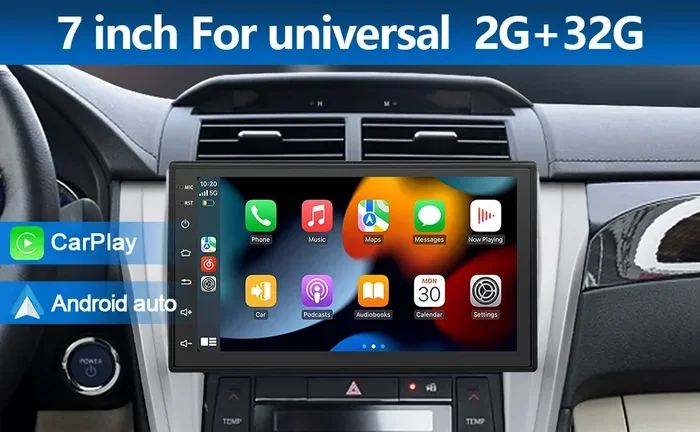
Most new vehicles support Apple CarPlay, Android Auto, or built-in Bluetooth. When your phone connects to the car, notifications from your phone can appear on the infotainment screen. These include text messages, incoming calls, and app alerts.
To manage phone notifications on your car’s display:
- Open the Settings app on your connected phone.
- Navigate to Notifications or Car Play/Android Auto settings.
- Toggle off notifications for apps you do not need while driving.
- On the car’s infotainment system, go to the notification settings and adjust which alerts appear.
Infotainment App Notifications
Many modern vehicles come with built-in apps for navigation, music, and messaging. These apps can generate their own notifications. To clear app alerts:
- Go to the app menu on your infotainment screen.
- Find the notification center or alert settings.
- Dismiss individual alerts or adjust notification preferences.
- Some systems let you clear all notifications at once with a single button.
Keeping your infotainment notifications tidy helps you stay focused on the road. It also reduces visual clutter on your dashboard display.
Common Dashboard Notifications and What They Mean
Not all notifications are the same. Understanding what each alert means helps you decide whether to clear it immediately or take action first.
Maintenance Reminders
These are the most common notifications drivers face. They include oil change reminders, tire rotation alerts, and general service interval warnings. Most maintenance reminders are purely informational and can be cleared once the service is complete.
Tire Pressure Monitoring Alerts
The tire pressure monitoring system (TPMS) alerts you when one or more tires are underinflated. Before clearing this notification, check your tire pressure and inflate to the recommended level. Once the tires are properly inflated, the alert usually clears on its own or can be reset through the vehicle settings menu.
Check Engine Light
The check engine light is one of the most misunderstood notifications. It can indicate anything from a loose gas cap to a serious engine problem. You should never simply clear this light without understanding the root cause. Have a mechanic run a diagnostic test first.
Battery and Electrical Alerts
Battery warnings and electrical system alerts need immediate attention. These notifications often indicate a failing alternator, low battery charge, or a problem with the charging system. Clear these only after the issue has been resolved.
Quick Tips for Managing Vehicle Notifications
Staying on top of your car’s alerts does not have to be complicated. Here are some practical tips that make notification management easier.
- Check your owner’s manual: Every vehicle is different. The manual provides brand-specific instructions for clearing notifications and resetting dashboard lights.
- Keep a log of alerts: Write down recurring notifications so you can spot patterns. This helps you address issues before they become serious problems.
- Update your vehicle software: Many modern cars receive over-the-air updates. These updates often improve notification systems and add new features for managing alerts.
- Use your phone as a companion: Many car manufacturers offer apps that let you monitor and manage notifications from your smartphone.
- Address issues promptly: The best way to keep your dashboard clean is to address alerts as soon as they appear. Ignoring warnings can lead to bigger problems.
Common Mistakes People Make When Clearing Notifications
Even experienced drivers make mistakes when dealing with dashboard alerts. Here are some common errors to avoid.
Ignoring Warning Lights
The biggest mistake is ignoring a warning light and hoping it goes away. Warning lights exist for a reason. Dismissing them without investigation can lead to costly repairs or unsafe driving conditions.
Clearing Alerts Without Fixing the Problem
Some drivers clear notifications the moment they appear, without addressing the underlying issue. This creates a dangerous cycle where real problems go unnoticed because the alert keeps coming back.
Using the Wrong Reset Method
Each vehicle brand has its own reset procedure. Using the wrong method can sometimes make things worse or fail to clear the notification. Always follow the instructions specific to your car model.
Overlooking Software Updates
Older vehicles may have outdated software that causes false or persistent notifications. Keeping your vehicle’s software up to date can resolve many notification issues.
When to Seek Professional Help
Most notifications are easy to clear on your own. But some situations require professional assistance. If a warning light keeps coming back after you clear it, there is likely an underlying issue that needs a mechanic’s attention. Similarly, if your vehicle’s message center displays a error code you do not understand, it is best to have it diagnosed by a qualified technician.
Regular vehicle maintenance also plays a big role in reducing unnecessary notifications. Staying current with oil changes, tire rotations, and software updates keeps your dashboard clean and your car running smoothly.
Final Thoughts
So the next time you see a notification pop up on your dashboard, do not panic. Understanding how to clear your notifications gives you confidence and control over your vehicle’s alert system. Whether you drive a Toyota, Honda, Ford, or any other brand, the process is almost always simpler than it seems.
Start by identifying the type of notification, address any urgent issues, and then follow the reset steps for your specific vehicle. With a little practice, clearing dashboard alerts becomes second nature. Your car talks to you through those notifications, and now you know exactly how to listen and respond.
Keep your dashboard clean, your alerts managed, and your focus where it belongs: on the road ahead.
Frequently Asked Questions
How do I clear my notifications on a Toyota dashboard?
To clear a Toyota maintenance reminder, turn the ignition to “On,” press the trip meter reset button until the service indicator appears, and hold it for about 10 seconds. For models with a multi-information display, navigate to the Maintenance menu in the settings and select “Reset Maintenance Data.”
Can I clear a check engine light myself?
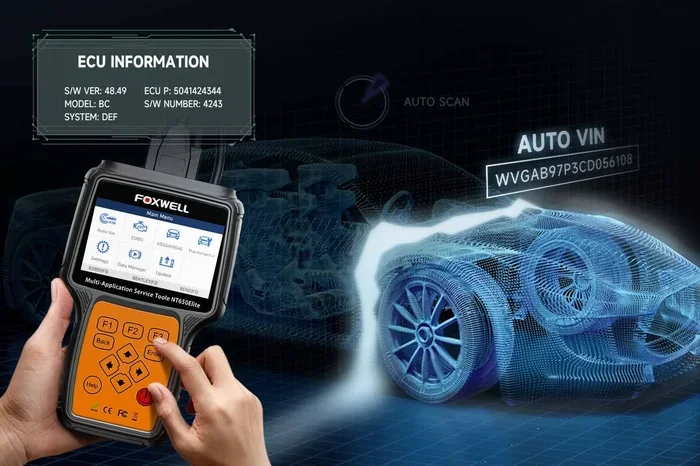
You can clear a check engine light with an OBD-II scanner, but it is not recommended unless you have already fixed the underlying problem. Clearing the light without addressing the root cause will only cause it to return. Always diagnose the issue first.
Why do my car notifications keep coming back after I clear them?
Recurring notifications usually mean there is an unresolved issue. The car’s sensors continue to detect a problem, so the alert reappears. Check tire pressure, fluid levels, and other common causes before trying to clear the notification again.
How do I stop phone notifications from showing on my car’s infotainment screen?
Go to your phone’s notification settings and adjust permissions for Car Play or Android Auto. You can also manage notifications directly on the car’s infotainment system by going to Settings and selecting the notification preferences for connected devices.
Is it safe to ignore dashboard warning lights?
No, it is not safe to ignore warning lights. Red and amber indicators signal potential problems that could affect your safety or damage your vehicle. Always investigate warning lights promptly and address the cause before clearing the alert.
How often should I reset my car’s maintenance notifications?
Reset maintenance notifications each time you complete a service, such as an oil change or tire rotation. This keeps your service schedule accurate and ensures you do not miss important maintenance intervals for your vehicle.
=== CONCLUSION ===
Knowing how do I clear my notifications on your vehicle is an essential skill for every driver. From simple maintenance reminders to more complex dashboard warning lights, managing your car’s alerts keeps you informed and your vehicle running at its best. Follow the steps outlined in this guide for your specific car brand, always address the root cause before clearing any warning, and use the quick tips to keep your dashboard clean and organized. With these strategies, you will handle every notification that comes your way with confidence and ease.