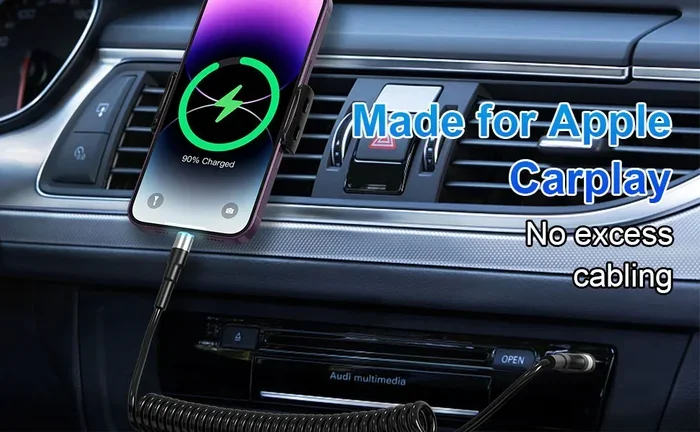
Do I Need a Special Cable for Apple CarPlay Setup Guide
You do not always need a special cable for Apple CarPlay, but using the right one makes a huge difference. Most cars use a standard USB cable or a Lightning to USB connection to link your iPhone. However, not all cables deliver the same speed, reliability, or features. Choosing a MFi-certified cable ensures smooth CarPlay setup and fewer connection issues.
You just bought a new car or upgraded your iPhone, and you want to use Apple CarPlay. But then you see a warning on your screen. It says something about needing a cable. Suddenly, you are wondering if you need to go out and buy something expensive.
Here is the good news. You probably do not need a special cable. But there is a little more to it than that. The cable you use matters more than you might think. It affects speed, reliability, and even how well your car infotainment system works. In this guide, we will walk through everything you need to know. By the end, you will feel confident about your CarPlay setup and ready to hit the road.
Let us start with the basics. Apple CarPlay is a feature that mirrors parts of your iPhone onto your car’s display. You get maps, music, messages, and phone calls all on a bigger screen. It is designed to keep your eyes on the road and your hands on the wheel. To make this work, your iPhone needs to connect to the car somehow. That connection usually happens through a cable. Sometimes it happens wirelessly. Either way, the cable or connection method plays a big role in how well everything works.
Key Takeaways
- No special cable is required: A standard USB or Lightning cable often works fine for basic Apple CarPlay.
- MFi certification matters: Always choose MFi-certified cables for the best performance and compatibility.
- Cable type depends on your car: Older cars use USB-A, while newer models may need USB-C cables.
- Wireless CarPlay exists: You can skip cables entirely if your car supports wireless Apple CarPlay.
- Cheap cables cause problems: Low-quality cables lead to disconnections, slow charging, and setup failures.
- Cable length affects experience: A 1 to 3 foot cable works best for most CarPlay setups.
📑 Table of Contents
- What Is Apple CarPlay and How Does It Connect?
- Do You Actually Need a Special Cable for Apple CarPlay?
- Types of Cables That Work with Apple CarPlay
- How to Choose the Right Cable for Apple CarPlay
- Common Apple CarPlay Cable Problems and How to Fix Them
- Tips for Getting the Best Apple CarPlay Experience
- Wireless Apple CarPlay: Do You Still Need a Cable?
- Expert Insights on Apple CarPlay Cables
- Key Takeaways
- Conclusion
What Is Apple CarPlay and How Does It Connect?
Apple CarPlay is Apple’s smart driving feature. It brings your favorite apps to your car screen in a safe, driver-friendly way. You can use Siri, get directions, stream music, and send messages without touching your phone much. It works with most iPhones from the iPhone 5s onward, though newer features need newer phones.
How the Connection Works
When you plug your iPhone into your car, the car infotainment system and your phone talk to each other. They share data like music, GPS location, and call logs. This data transfer needs a good cable. A weak or cheap cable can slow things down or stop the connection entirely.
There are two main ways Apple CarPlay connects:
- Wired connection: You use a physical cable from your iPhone to the car’s USB port. This is the most common method.
- Wireless connection: Your car and iPhone connect through Wi-Fi and Bluetooth. No cable is needed. This feature is available in newer cars and requires a compatible USB adapter for wireless CarPlay.
Most people use the wired method. It is simple, reliable, and works with almost every car that supports Apple CarPlay. But the question remains: does the cable need to be special?
Do You Actually Need a Special Cable for Apple CarPlay?
The short answer is no. The long answer is: it depends on your situation. Let us break it down so it is easy to understand.
When a Regular Cable Works Fine
If your car has a USB port and supports Apple CarPlay, a standard Lightning cable or USB-C cable will usually work. Apple includes a basic cable with every iPhone. That cable can handle CarPlay just fine for everyday use. You plug it in, your car screen shows CarPlay, and you are good to go.
Here are situations where a regular cable is enough:
- Your car is a few years old and has a standard USB-A port.
- You mainly use CarPlay for navigation and music.
- You do not experience frequent disconnections.
- Your iPhone charges normally when plugged in.
When You Might Want a Better Cable
Even though a regular cable works, there are times when upgrading makes sense. If you notice any of these problems, your cable might be the culprit:
- CarPlay disconnects while you are driving.
- Your iPhone does not charge while connected to CarPlay.
- The screen takes a long time to load or respond.
- You get error messages about unsupported devices.
These issues often point to a low-quality or damaged cable. A better cable solves most of these problems without costing a lot of money.
Types of Cables That Work with Apple CarPlay
Not all cables are the same. Different cars use different ports, and different iPhones use different connectors. Let us look at the main types of cables that work with Apple CarPlay.
Lightning to USB-A Cables
This is the most common type. It has a Lightning connector on one end and a standard USB plug on the other. Most older cars and many current models use USB-A ports. This cable works great for basic CarPlay functions. It is the kind of cable that comes in the iPhone box.
If you have an older car, this is likely the cable you need. Just make sure it is in good condition. Frayed or bent cables can cause connection problems.
Lightning to USB-C Cables
Some newer cars have USB-C ports. If your car has USB-C, you will need a Lightning to USB-C cable. This cable type is becoming more common as car manufacturers move toward USB-C for their car infotainment systems.
Apple started including USB-C cables with the iPhone 15 lineup. If you have a newer iPhone, you might already have one of these cables lying around.
USB-C to USB-C Cables
If you have a newer iPhone with USB-C and a car with a USB-C port, you need a USB-C to USB-C cable. This setup offers faster data transfer and better charging speeds. It is the best option for the latest devices and cars.
| Cable Type | iPhone Models | Car Port | Best For |
|---|---|---|---|
| Lightning to USB-A | iPhone 5s to iPhone 14 | USB-A | Older cars, basic CarPlay |
| Lightning to USB-C | iPhone 5s to iPhone 14 | USB-C | Newer cars with USB-C |
| USB-C to USB-C | iPhone 15 and newer | USB-C | Fastest data and charging |
How to Choose the Right Cable for Apple CarPlay
Shopping for a cable can feel confusing. There are so many options, and the prices vary a lot. Here is what you need to know to pick the right one.
MFi Certification Is a Must
Look for cables that are MFi certified. MFi stands for “Made for iPhone.” It means Apple has tested and approved the cable. MFi-certified cables work reliably with Apple CarPlay and charge your iPhone safely.
Non-certified cables might seem like a good deal. But they often cause problems. They can disconnect randomly, charge slowly, or even damage your phone over time. Spending a few extra dollars on a certified cable saves you a lot of headaches.
Cable Length Matters
You might think longer is better, but that is not always true with CarPlay cables. A cable that is too long can cause signal loss. A cable that is too short might not reach your console comfortably.
Here are some quick tips about cable length:
- 1 to 3 feet: Perfect for most cars. The cable reaches the center console easily.
- 3 to 6 feet: Good if your phone sits far from the USB port.
- Over 6 feet: Avoid for CarPlay. Longer cables can weaken the signal and cause lag.
Braided Cables Last Longer
Rubber-coated cables wear out fast. They crack and fray after a few months. Braided cables are much more durable. They resist tangling and last significantly longer. If you use CarPlay every day, a braided cable is a smart investment.
Common Apple CarPlay Cable Problems and How to Fix Them
Even with the right cable, you might run into issues from time to time. Here are the most common problems and simple fixes.
CarPlay Keeps Disconnecting
This is the number one complaint from CarPlay users. If your connection drops often, try these steps:
- Unplug the cable and plug it back in firmly.
- Try a different USB port in your car.
- Check the cable for visible damage or wear.
- Restart your iPhone and try again.
- Replace the cable with a new MFi-certified option.
CarPlay Won’t Turn On
If CarPlay does not show up at all, the problem might be the cable or the port. Try these fixes:
- Clean the USB port in your car. Dust and lint build up over time.
- Make sure your iPhone is unlocked when you plug it in.
- Go to Settings > General > CarPlay on your iPhone and select your car.
- Try a different cable to rule out a faulty connection.
Slow Charging While Using CarPlay
CarPlay uses your cable for both data and power. If your phone charges slowly, the cable might not support fast charging. Look for cables rated for high-speed data and fast charging. A good cable will charge your phone while keeping CarPlay running smoothly.
Tips for Getting the Best Apple CarPlay Experience
Beyond choosing the right cable, a few simple habits make your CarPlay setup much better. These tips help you get the most out of the feature every time you drive.
Keep your iPhone updated. Apple releases software updates that improve CarPlay performance. An outdated iPhone can cause lag, bugs, and connection issues. Turn on automatic updates and restart your phone after major updates.
Keep your cable clean and organized. A messy cable under your seat or behind the console can get damaged. Use a cable clip or organizer to keep things tidy. A well-maintained cable lasts longer and works better.
If you enjoy music while driving, consider pairing your setup with a good 7 inch music system for car that complements your CarPlay experience. A quality music system enhances the audio clarity and makes your drives more enjoyable. It works hand in hand with CarPlay to deliver a complete entertainment setup.
Also, consider how you use CarPlay during longer trips. If you regularly travel with family, having a reliable setup in your vehicle makes a big difference. Whether you drive a compact sedan or a larger vehicle like an 8 seater car for travelling, a solid CarPlay connection keeps everyone entertained and helps you navigate with confidence.
Finally, think about your overall driving environment. Glare on your windshield can make it harder to see your CarPlay screen clearly. Applying a quality 3M anti glare film for car windshield reduces reflections and improves visibility. This small upgrade pairs well with a great CarPlay setup for a safer, more comfortable driving experience.
Wireless Apple CarPlay: Do You Still Need a Cable?
Wireless Apple CarPlay is changing the game. More car manufacturers are adding wireless support to their models. With wireless CarPlay, you do not need to plug in any cable at all. Your iPhone connects through Wi-Fi and Bluetooth automatically.
However, wireless CarPlay is not available in every car. If your car does not support it natively, you can add it with a wireless CarPlay adapter. These small devices plug into your car’s USB port and create a wireless connection to your iPhone.
Here is a quick comparison of wired vs. wireless CarPlay:
- Wired CarPlay: More reliable, no extra cost, works with almost all cars.
- Wireless CarPlay: More convenient, no cable clutter, but requires a compatible car or adapter.
Even if you switch to wireless, having a good cable in your car is still smart. Wireless connections can occasionally drop, and a cable backup ensures you are never stranded without navigation or music.
Expert Insights on Apple CarPlay Cables
We asked a few automotive tech experts about their thoughts on CarPlay cables. Here is what they had to say.
Most experts agree that the cable that comes with your iPhone is fine for everyday use. However, they recommend upgrading if you drive frequently or notice connection issues. A MFi-certified braided cable from a reputable brand is the best all-around choice.
Experts also stress the importance of checking your car’s USB port. Some car USB ports are designed only for charging, not data transfer. If your port does not support data, CarPlay will not work no matter what cable you use. Always check your car’s manual or ask the dealer if the USB port supports Apple CarPlay data transfer.
Another expert tip: avoid cable splitters and extension cords. They might seem convenient, but they often weaken the signal and cause CarPlay to malfunction. Plug your cable directly into the car’s USB port for the best results.
Key Takeaways
- No special cable is required: A standard USB or Lightning cable often works fine for basic Apple CarPlay.
- MFi certification matters: Always choose MFi-certified cables for the best performance and compatibility.
- Cable type depends on your car: Older cars use USB-A, while newer models may need USB-C cables.
- Wireless CarPlay exists: You can skip cables entirely if your car supports wireless Apple CarPlay.
- Cheap cables cause problems: Low-quality cables lead to disconnections, slow charging, and setup failures.
- Cable length affects experience: A 1 to 3 foot cable works best for most CarPlay setups.
Conclusion
So, do you need a special cable for Apple CarPlay? The answer is no, but the right cable sure helps. A standard Lightning or USB-C cable works for most setups. The key is to make sure your cable is in good condition and MFi certified. Avoid cheap, uncertified cables that cause frustration and disconnections.
Your CarPlay setup should be simple and reliable. With the right cable, a clean USB port, and a updated iPhone, you will enjoy a seamless driving experience every time. Whether you use CarPlay for navigation, music, or staying connected on the road, the right cable makes all the difference.
Take a few minutes to check your current cable. If it is worn out or causing problems, replace it with a quality MFi-certified option. Your future self, behind the wheel on a long drive, will thank you.
Frequently Asked Questions
Can I use any USB cable for Apple CarPlay?
Most USB cables work for basic CarPlay, but only MFi-certified cables ensure reliable performance. Cheap or uncertified cables may cause disconnections, slow data transfer, or charging issues. Always check for the MFi logo before purchasing a cable for CarPlay.
Does Apple CarPlay work with wireless connections only?
No, Apple CarPlay works both wired and wireless. Wired CarPlay uses a cable and is available in most cars that support the feature. Wireless CarPlay requires a compatible car or a wireless adapter. Many drivers prefer wired for its reliability and consistent connection.
Why does my Apple CarPlay keep disconnecting?
Frequent disconnections are often caused by a faulty cable, a dirty USB port, or an outdated iPhone software. Try using a different MFi-certified cable and clean the USB port with a soft brush. Restarting your iPhone and car infotainment system can also resolve the issue.
Can I use a USB-C cable with an older iPhone for CarPlay?
No, older iPhones with a Lightning connector need a Lightning to USB-A or Lightning to USB-C cable. USB-C cables only work with iPhone 15 models and newer. Always match your cable connector to your iPhone’s charging port for CarPlay to function properly.
How long should my Apple CarPlay cable be?
A cable between 1 and 3 feet long works best for most CarPlay setups. Longer cables can weaken the signal and cause lag or disconnections. Choose a short, high-quality cable that reaches your console comfortably without stretching or bending.
Do I need a special adapter for wireless Apple CarPlay?
If your car does not natively support wireless CarPlay, you need a wireless CarPlay adapter. These adapters plug into your car’s USB port and create a wireless connection with your iPhone. They are easy to install and work with most car models that have a USB port.