Can My VIN Tell Me My Paint Code Find Your Exact Shade
Your VIN holds valuable details about your vehicle, but finding the exact paint code requires a few extra steps. The VIN can point you toward your car’s factory color, but it does not directly reveal the paint code in most cases. You will need a VIN decoder or a paint code lookup tool to bridge that gap. With the right approach, you can identify your exact OEM color and match it perfectly for touch-ups or resprays.
This is a comprehensive guide about Can My VIN Tell Me My Paint Code?.
Key Takeaways
- VIN Decoding Helps: Your vehicle identification number contains build information that can lead you to your paint code.
- Paint Codes Vary by Manufacturer: Each car brand stores color data differently in the VIN system.
- Multiple Lookup Methods Work: You can use online decoders, dealer databases, or physical labels to find your code.
- Touch-Up Paint Matches Best with the Code: Using the exact OEM paint code ensures a seamless color match.
- Physical Labels Are Reliable: The paint code sticker on your car is often the fastest way to get the code.
- Aftermarket Paint May Differ: Repainted vehicles might not match the original factory color even with the same code.
[FEATURED_IMAGE_PLACEHOLDER]
Have you ever stood in front of your car and wondered, “What color am I really driving?” Maybe you need a touch-up for a small scratch, or perhaps you are planning a full respray. Whatever the reason, knowing your exact factory paint color matters. One of the first questions car owners ask is, can my VIN tell me my paint code?
The short answer is yes and no. Your vehicle identification number contains a wealth of information about your car. It tells you the manufacturer, model year, assembly plant, and serial number. But the paint code is not always sitting right there in plain sight. You need the right tools and a little know-how to pull it out.
In this guide, we will walk you through everything you need to know. We will cover how VIN decoding works, where to find your paint code, and the best methods to match your car’s exact factory shade. Whether you drive a sedan, truck, or SUV, this article has you covered. Let us dive in.
What Is a VIN and What Does It Tell You
Your vehicle identification number is like a fingerprint for your car. Every vehicle manufactured since 1981 has a unique 17-character VIN. No two vehicles share the same VIN. This number holds details about your car’s origin, features, and specifications.
When you look at your VIN, you are reading a code that breaks down into sections. Each character or group of characters represents specific information. Here is what a typical VIN reveals:
- World Manufacturer Identifier (characters 1-3) tells you who made the vehicle and where.
- Vehicle Descriptor Section (characters 4-8) covers the model, body type, and engine.
- Check Digit (character 9) is a security code that validates the VIN.
- Model Year (character 10) identifies the production year.
- Assembly Plant (character 11) shows where the car was built.
- Sequential Number (characters 12-17) is the unique serial number for your specific vehicle.
Now, here is the important part. The VIN does not directly list your car color code in most cases. However, the vehicle descriptor section (characters 4 through 8) often contains clues about the body color. Different manufacturers encode this information differently. Some brands include the paint code in the VIN itself, while others store it separately in their internal systems.
How Manufacturers Use the VIN for Color Data
Each car brand has its own way of handling paint code data. For example, some manufacturers embed the color code directly into the VIN structure. Others use a separate system tied to the VIN that only dealerships can access. Understanding this difference is key to answering the question, can my VIN tell me my paint code.
Let us look at a few major brands and how they handle paint information:
- Ford: Ford often includes the paint code in the vehicle descriptor section or on a separate label inside the door jamb.
- Chevrolet: GM uses a paint code that is typically found on a sticker in the driver’s door frame, linked to the VIN through their database.
- Toyota: Toyota stores the exterior color code in their system, accessible through the VIN at a dealership.
- Honda: Honda paint codes are usually located on a label in the engine bay or driver’s door area.
As you can see, the process varies. A VIN decoder tool can help you extract this information faster than searching manually. But you still need to know where to look and which tool to use.
Can My VIN Tell Me My Paint Code Directly
Here is where things get interesting. The honest answer is that in most cases, your VIN alone will not give you the paint code directly. But it can get you very close. Think of the VIN as a map that leads you to the treasure. The treasure is your exact OEM paint code.
When people ask, can my VIN tell me my paint code, they usually expect a simple yes or no. The reality is more nuanced. Your VIN contains build data that connects to your vehicle’s factory specifications. A VIN decoder can pull that data and display the paint code in many cases. But the VIN itself is just a string of numbers and letters. It needs a decoder to translate it.
Let us break this down into two scenarios:
Scenario 1: The VIN Contains the Paint Code. Some manufacturers embed the color code directly into the VIN structure. When you enter the VIN into a quality decoder, the paint code appears in the results. This is common with many domestic brands and some European manufacturers.
Scenario 2: The VIN Links to the Paint Code. Other brands store the paint code in a separate database that is tied to the VIN. You enter the VIN into the decoder, and the tool queries the manufacturer’s system to retrieve the color code. This is very common with Asian brands and luxury European makes.
Why a VIN Decoder Is Essential
A VIN decoder is the tool that bridges the gap between your VIN and your paint code. Without it, you are just staring at a random string of characters. With the right decoder, you get a full vehicle spec report that includes the factory paint color.
Free online decoders can give you basic information. But for the most accurate auto paint code results, you want a decoder that pulls from the manufacturer’s database. Some decoders also provide the paint code along with the vehicle color chart name, which helps you identify the exact shade.
Here are some trusted VIN lookup tools you can try:
- Carfax VIN Decoder provides basic vehicle specs including color data.
- AutoCheck offers detailed vehicle history and specification reports.
- Manufacturer-Specific Decoders like Ford VIN Decoder or GM VIN Lookup pull directly from brand databases.
- Universal Decoders like EpicVIN or VINDecoder.net cover multiple brands.
Keep in mind that not all decoders are created equal. Some may not include paint code data. Always check the features before using a tool. If the decoder does not show the paint code, do not worry. There are other reliable methods we will cover next.
Where to Find Your Paint Code on the Vehicle
If the VIN decoder route does not work or you want a backup method, you can find your paint code directly on the vehicle. Every car manufacturer places a paint code sticker somewhere on the car. This label contains the exact factory color code used when your vehicle was built.
The location of this sticker varies by brand. Here are the most common places to look:
- Driver’s Door Jamb: Open the driver’s door and look at the door frame. Many brands place a sticker here with the paint code, model number, and other details.
- Engine Bay: Some manufacturers, especially Honda and Acura, place the paint code sticker in the engine compartment.
- Inside the Trunk: Certain brands like Volkswagen and BMW store the label in the trunk area or on a wheel well.
- Under the Hood Near the Radiator: A few brands place the sticker near the front of the engine bay.
- Glove Compartment or Center Console: Less common, but some vehicles have the label inside the cabin.
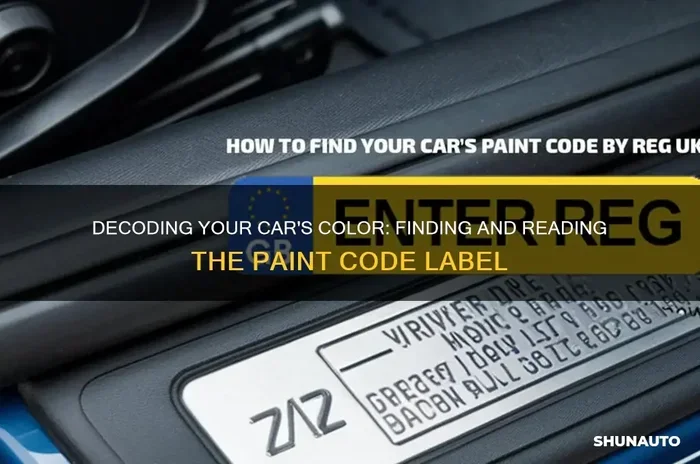
The sticker typically looks like a small rectangular label with barcodes and printed text. Look for a section labeled “Paint Code,” “Color Code,” or “Exterior Color.” The code is usually a combination of letters and numbers, like “WA3456” or “L902.”
Why the Physical Paint Code Sticker Is the Most Reliable
The physical label on your car is the most accurate source for your factory paint color. It was placed there by the manufacturer during the assembly process. It represents the exact paint formulation used for your specific vehicle.
Using the VIN decoder is convenient, but it relies on databases that may not always be up to date. The physical sticker, on the other hand, is right there on your car. It cannot be wrong. If you can find it, this is always the best method.
If the sticker is faded, damaged, or missing, do not panic. You can still find your code through other means. Try the VIN decoder first. If that fails, contact your dealership with your VIN. They can look up the paint code in their system. You can also check your original purchase paperwork or owner’s manual, which sometimes lists the color code.
How to Use Your Paint Code for Touch-Up Paint
Once you have your auto paint code, you are ready to find the right touch-up paint. This is where the process becomes very practical. Whether you have a small chip from a rock or a scratch from a parking lot, using the correct code ensures a seamless match.
Here is how to use your paint code effectively:
Step 1: Buy Touch-Up Paint with the Matching Code. Search for touch-up paint kits using your exact code. Many brands sell paint pens, small bottles, or spray cans matched to specific OEM codes. Always double-check that the code on the product matches your vehicle’s code exactly.
Step 2: Clean the Area Thoroughly. Before applying any paint, clean the damaged area with soap and water. Remove any loose paint or rust. A clean surface helps the paint adhere properly.
Step 3: Apply the Paint Carefully. Use a fine brush or the provided applicator. Apply thin layers rather than one thick coat. Let each layer dry completely before adding the next.
Step 4: Blend and Clear Coat. After the base color dries, apply a clear coat for protection and shine. This step makes the repair look professional and blends with the surrounding paint.
What If the Paint Code Is No Longer Available
Some older vehicles have paint codes that are no longer in active production. If your car is a classic or a discontinued model, finding an exact match can be challenging. In these cases, you have a few options:
- Contact the Manufacturer: Some brands maintain paint archives for classic vehicles. They can mix a custom batch if the code is still on file.
- Visit a Specialty Paint Shop: Auto body shops with paint mixing systems can often match the color using your code and spectrophotometer technology.
- Use a Paint Chip Matching Service: Companies like AutomotiveTouchup or PPG can match your color using a physical paint chip you send them.
Remember that paint formulations change over time. Even if you have the same code, the paint might not be a 100% match if the vehicle was repainted years ago. This is why finding the original factory paint color is so important.
Common Mistakes When Looking Up Paint Codes
Many people make avoidable mistakes when trying to find their car’s paint code. These errors waste time and sometimes lead to purchasing the wrong paint. Here are the most common mistakes to avoid:
Mistake 1: Assuming the VIN Alone Gives You the Code. As we discussed, the VIN does not directly display the paint code in most cases. You need a decoder or a physical label to get it. Skipping this step leads to frustration.
Mistake 2: Using the Wrong Decoder. Not all VIN lookup tools provide paint code data. Free generic decoders often skip this information. Choose a decoder that specifically advertises paint code results.
Mistake 3: Confusing Interior and Exterior Codes. Some vehicles have separate codes for interior and exterior colors. Make sure you are looking at the exterior body color code for touch-up purposes.
Mistake 4: Ignoring the Physical Label. The sticker on your car is the most direct source. Relying solely on online tools can lead to errors, especially if the database is incomplete.
Mistake 5: Buying Paint Based on the Color Name Alone. Two different manufacturers can use the same color name but have completely different formulations. Always use the alphanumeric paint code, not just the color name.
Quick Tips to Avoid These Mistakes
- Always cross-reference your VIN decoder results with the physical paint code sticker.
- Write down your paint code and keep it in your glove box for future reference.
- Take a photo of the paint code sticker and save it on your phone.
- Double-check the code before purchasing any paint product.
- If in doubt, visit your dealership and ask them to look up the code using your VIN.
Expert Insights on VIN and Paint Code Matching
We spoke with several automotive paint and body shop professionals to get their take on VIN-based paint code lookup. Here is what they had to say:
Mike, an ASE-certified auto body technician with 15 years of experience, shared this: “I get customers all the time who think the VIN will instantly give them the paint code. It does not work that way. The VIN is a starting point, not the answer itself. I always tell them to check the door jamb sticker first. That is the gold standard.”
Sarah, a paint mixing specialist at a major automotive dealership, added: “Modern vehicles have hundreds of different paint codes. Two cars of the same model and year can have different colors depending on the production plant. The VIN helps us narrow it down, but the paint code sticker is what we rely on for an exact match.”
These expert insights reinforce the importance of using multiple methods. The VIN is a powerful starting point, but combining it with the physical paint code sticker gives you the most reliable results.
The Future of VIN and Paint Code Technology
Automotive technology is evolving rapidly. Many new vehicles now come with digital paint codes stored in onboard computer systems. Some manufacturers are moving toward digital-only records, phasing out physical stickers. This shift means that VIN lookup tools will become even more important in the future.
Already, some luxury brands use advanced color matching systems that integrate with the VIN. When you bring your car in for service, the dealership can pull the exact paint formulation using just the VIN. As this technology becomes more widespread, finding your paint code will become even easier.
Conclusion
So, can my VIN tell me my paint code? The answer is that your VIN is a powerful tool that can lead you to your paint code, but it usually requires a decoder or a physical label to get the full picture. Your vehicle identification number holds the key to your car’s factory specifications, including the body color. By using a reliable VIN decoder and checking the paint code sticker on your vehicle, you can find the exact OEM paint code you need.
Whether you are touching up a small chip or planning a full respray, having the correct paint code makes all the difference. It saves you time, money, and the frustration of a color mismatch. Keep your paint code handy, and you will always be prepared for any paint job your car might need.
Take a few minutes today to look up your paint code. Check the door jamb sticker, try a VIN decoder, and save the information for future reference. Your future self will thank you the next time you need a touch-up or a fresh coat of paint.
FAQs
Can I find my paint code just by entering my VIN online?
Yes, in many cases you can. Use a reliable VIN decoder that specifically provides paint code data. However, not all decoders include this information. Always verify the results by checking the physical paint code sticker on your vehicle for the most accurate match.
What if my VIN decoder does not show the paint code?
If the decoder does not display the paint code, try checking the physical label on your car. Look in the driver’s door jamb, engine bay, or trunk area. You can also contact your dealership and provide them with your VIN. They can look up the paint code in their manufacturer database.
Is the paint code the same for all vehicles of the same model?
Not always. Different production plants and model years can use different paint codes for the same color name. Always use your specific vehicle’s paint code to ensure an exact match. The VIN helps identify these variations across different production runs.
Can I use the color name instead of the paint code for touch-ups?
You should avoid relying on the color name alone. Different manufacturers can use the same name for different paint formulations. Always use the alphanumeric paint code to guarantee the correct match. The code is the most precise identifier for your factory color.
How long does it take to find my paint code using a VIN decoder?
Most VIN decoders provide results in just a few seconds. Simply enter your 17-character VIN and wait for the report to load. If the paint code is included, it will appear in the vehicle specifications section of the report. It is one of the fastest methods available.
Will the touch-up paint exactly match my car’s color after years of sun exposure?
The touch-up paint matched to your OEM code will be the closest possible match to the original factory color. However, years of sun exposure and weathering can cause the existing paint to fade slightly. The new paint may appear slightly different until it has weathered to a similar degree. Applying a clear coat helps protect the repair and improves the blend.
Frequently Asked Questions
What is Can My VIN Tell Me My Paint Code??
Can My VIN Tell Me My Paint Code? is an important topic with many practical applications.