How Do I Reset My Audio Settings Quickly and Easily
Resetting your audio settings is one of the simplest and most effective ways to fix common car sound problems. Whether your car audio system is producing distorted noise, uneven volume, or annoying feedback, a quick reset can restore clear sound in just minutes. This guide walks you through every method step by step, so you can reset audio settings on any car model without visiting a mechanic. You will also learn how to avoid common mistakes, maintain optimal sound quality, and know when professional help is needed. By the end, you will feel confident tackling any audio issue on your own.
Dealing with bad sound in your car is frustrating. You are trying to enjoy your favorite playlist, and all you get is crackling, static, or uneven volume. The good news is that fixing this problem is usually much simpler than you think. In most cases, resetting your audio settings solves the issue completely. This guide will show you exactly how to do it, no matter what kind of car you drive.
We will cover every method you can use, from simple menu resets to full factory restores. You will also learn why audio problems happen in the first place and how to stop them from coming back. Whether you are dealing with a car stereo reset situation or just trying to fix your sound balance settings, this article has you covered. Let us get your car audio sounding great again.
Key Takeaways
- Resetting audio settings is quick and easy: Most car audio systems can be reset in under 10 minutes using simple steps.
- Multiple reset methods exist: You can use the infotainment menu, factory reset, or physical button combinations depending on your car.
- Common audio problems are often fixable at home: Distorted sound, uneven volume, and feedback issues frequently resolve after a reset.
- Regular maintenance keeps sound quality high: Simple habits like updating firmware and checking connections prevent most audio issues.
- Know when to call a pro: Persistent problems after a reset may indicate hardware issues that need professional attention.
- Backup your settings first: Saving your preferred audio configuration before a reset saves time and frustration.
📑 Table of Contents
- Why You Might Need to Reset Your Audio Settings
- How to Reset Audio Settings in Your Car
- Comparison: Audio Reset Methods
- Step-by-Step Guide to Resetting Your Car Audio
- Common Audio Problems and How a Reset Fixes Them
- Tips to Maintain Optimal Audio Settings After Reset
- When to Seek Professional Help for Audio Issues
- Conclusion
Why You Might Need to Reset Your Audio Settings
Your car audio system is a complex setup. It includes the head unit, speakers, amplifiers, and wiring. Over time, settings can get messed up. Software updates, accidental button presses, or even a dead battery can throw everything off. Understanding why problems happen helps you fix them faster.
Signs Your Car Audio System Needs a Reset
How do you know it is time to reset audio settings? Look for these common warning signs:
- Distorted or crackling sound even at low volume levels
- Uneven volume between different speakers in the car
- Audio feedback or buzzing noises that should not be there
- Settings keep reverting to default values on their own
- No sound at all from one or more speakers
- Bluetooth audio cuts out frequently or sounds muffled
- Equalizer settings that do not respond when you adjust them
If you notice any of these issues, a reset is often the fastest solution. Before you do anything, though, it helps to understand what might have caused the problem in the first place.
How to Reset Audio Settings in Your Car
There are several ways to reset audio settings in a vehicle. The method you choose depends on your car make, model, and the type of problem you are facing. Below, we break down the most common approaches so you can pick the one that works best for you.
Method 1: Reset Through the Infotainment System
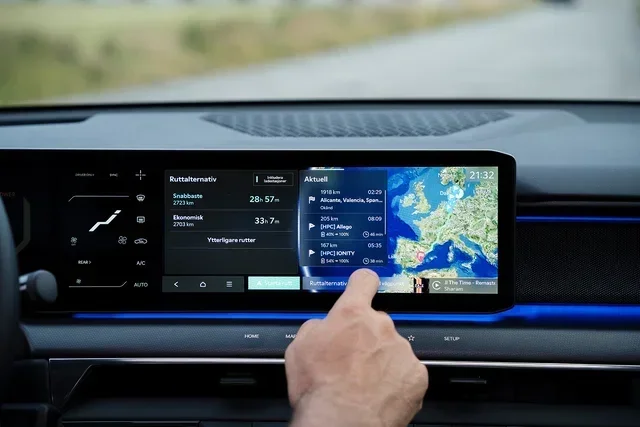
Most modern cars come with a touchscreen infotainment system. This is often the easiest way to reset audio settings. Here is how to do it:
- Turn on your car but do not start the engine. Press the power button on the audio unit.
- Navigate to the Settings menu on the screen. Look for an icon that looks like a gear or wrench.
- Find the Audio or Sound section. Tap on it to open the audio options.
- Look for a Reset or Restore Defaults option. This is usually at the bottom of the menu.
- Confirm your choice when prompted. The system will restart and apply factory audio output settings.
This method works on most Ford, Toyota, Honda, Chevrolet, and BMW models. The exact menu path may vary slightly, but the general steps are the same across brands.
Method 2: Factory Reset for Car Audio
A factory reset is a more thorough option. It wipes all custom settings and returns the entire audio system to its original state. Use this method if the simple reset does not work or if your car audio troubleshooting efforts have not helped.
To perform a factory reset car stereo procedure:
- Go to Settings and look for System or About
- Select Factory Reset or Master Reset
- Enter your security code if prompted (check your owner manual)
- Wait for the system to fully reboot
- Reconnect your phone and reconfigure your preferences
Method 3: Physical Button Combinations
Some cars allow you to reset car stereo settings using button combinations on the head unit itself. This method is helpful when the touchscreen is unresponsive. Common combinations include holding the volume knob for 10 seconds or pressing and holding the power button along with the reset pinhole button.
Check your vehicle owner manual for the exact button combination. Each manufacturer uses a different process. This is especially common in older car models that do not have touchscreen displays.
Comparison: Audio Reset Methods
| Method | Difficulty | Time Required | Best For |
|---|---|---|---|
| Infotainment Menu Reset | Easy | 2-3 minutes | Minor sound glitches and settings issues |
| Factory Reset | Medium | 5-10 minutes | Persistent problems after software updates |
| Button Combination Reset | Medium | 1-2 minutes | Unresponsive touchscreens or frozen systems |
| Professional Reset | Easy | 30+ minutes | Hardware-related audio issues |
For most drivers, the infotainment menu reset is all you need. It is fast, simple, and does not require any special tools. Save the factory reset for situations where the simple method fails.
Step-by-Step Guide to Resetting Your Car Audio
Now that you know the different methods, let us walk through a complete audio settings troubleshooting process. Follow these steps in order for the best results.
- Identify the problem. Is the sound distorted? Is one speaker quieter than the others? Note the specific issue before you start.
- Check basic connections. Make sure all cables are securely plugged in. A loose wire can mimic a software problem.
- Try a simple reset first. Use the infotainment menu to restore audio settings to default. This solves the problem in most cases.
- Adjust the sound balance. After the reset, check the sound balance settings. Make sure the front and rear levels are even.
- Test the audio system. Play music at different volumes. Check both Bluetooth and radio. Listen for any remaining issues.
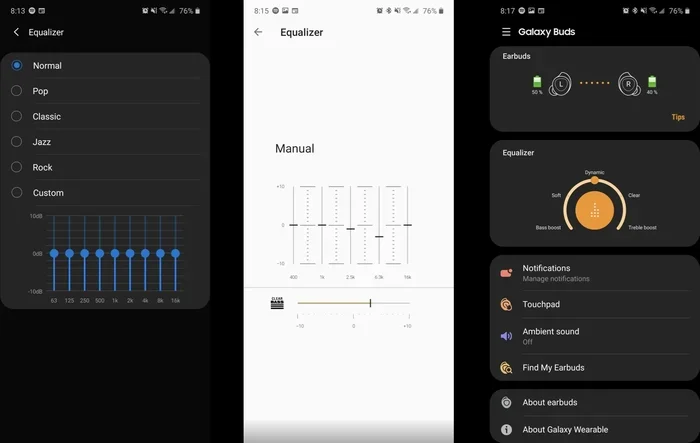
- Fine-tune your preferences. Adjust the bass and treble settings and equalizer settings to match your taste.
Quick Tips for a Successful Reset
- Always restart your car after a reset to let the system fully initialize
- Keep your owner manual handy for model-specific instructions
- Update your infotainment firmware before resetting, as updates often fix audio bugs
- Avoid adjusting multiple settings at once after a reset. Change one thing at a time to identify what works best
- Use a high-quality audio source for testing, such as a known good Bluetooth device or a USB drive with clean audio files
Common Audio Problems and How a Reset Fixes Them
A reset audio settings procedure can solve a surprising number of car audio problems. Let us look at the most common issues and how resetting helps.
Distorted Sound After Software Updates
Car manufacturers regularly release software updates for their infotainment systems. Sometimes these updates cause audio distortion or make the sound quality worse. This happens because the new software may conflict with existing audio system calibration settings.
A reset clears out the old configuration and lets the system recalibrate. After the reset, the audio car infotainment reset process re-establishes the correct signal path. Most distortion issues disappear completely after this.
Uneven Volume Across Speakers
Have you ever noticed that the front speakers are loud but the rear ones are barely audible? Or maybe one side is noticeably quieter? This is a classic sign that your speaker settings need to be reset.
When you reset audio settings, the system restores the proper volume control balance across all channels. The sound balance settings return to their neutral position, ensuring every speaker contributes equally to the overall sound.
Audio Feedback and Buzzing Noises
Buzzing or feedback sounds are annoying and can be caused by incorrect audio feedback loops in the system. This often happens after a battery replacement or a jump start. The electrical surge can scramble the car sound system configuration.
A full audio reset clears these corrupted signals and re-establishes clean audio pathways. In most cases, the buzzing stops immediately after the reset is complete.
Tips to Maintain Optimal Audio Settings After Reset
Once you have reset audio settings and your system sounds great again, you want to keep it that way. Regular maintenance goes a long way toward preventing future problems.
- Update your firmware regularly. Car manufacturers release updates that fix known audio bugs. Check for updates every few months.
- Keep your connections clean. Dust and debris can build up in auxiliary ports and USB slots, causing sound quality issues.
- Avoid extreme volume levels. Playing music at maximum volume for extended periods can strain your car audio system and degrade sound quality over time.
- Store settings after customization. If your system allows saving profiles, create one for your preferred sound and save it.
- Check wiring annually. Loose or corroded connections are a leading cause of audio problems. A quick visual inspection can catch issues early.
When to Seek Professional Help for Audio Issues
Most audio problems are fixable with a simple reset. But some issues go beyond what a software reset can solve. Knowing when to call a professional saves you time and prevents further damage.
You should consider professional help if:
- The audio distortion fix does not work after multiple reset attempts
- You notice physical damage to the speakers, such as tears in the cone or rattling sounds
- Your car audio troubleshooting efforts have not resolved the problem after a full factory reset
- The head unit displays error messages that do not go away after a restart
- You smell burning or notice smoke coming from the audio system
- Sound quality remains poor even after adjusting all equalizer settings and bass and treble settings
A certified car audio technician can diagnose hardware problems that a simple reset cannot fix. They have specialized tools for audio system calibration and can replace damaged components quickly. Do not hesitate to seek help if your problem persists. It is always better to address an issue early before it gets worse and becomes more expensive to repair.
Conclusion
Resetting your audio settings is one of the easiest and most effective ways to restore great sound in your car. Whether you use the infotainment menu, a factory reset, or a button combination, the process is straightforward and takes only a few minutes. Most common audio problems, from distorted sound to uneven volume, are resolved with a simple reset.
Remember to back up your settings before any reset, follow the steps carefully, and maintain your system regularly. If the problem persists after a reset, do not hesitate to seek professional help. Your car audio system deserves to sound its best, and now you have the knowledge to make it happen.
Take a few minutes today to reset audio settings in your vehicle. You will be amazed at how much better your music sounds. Happy listening!
Frequently Asked Questions
How long does it take to reset audio settings in a car?
A simple reset through the infotainment menu takes about 2 to 3 minutes. A factory reset may take 5 to 10 minutes, including the reboot time. Physical button combinations are usually the fastest, taking just 1 to 2 minutes. The exact time depends on your car model and the reset method you choose.
Will resetting audio settings delete my saved playlists and Bluetooth connections?
A simple audio reset usually keeps your playlists and Bluetooth pairings intact. However, a factory reset will erase all saved connections and custom data. Always back up your important information before performing a factory reset. You can manually reconnect your devices after the reset is complete.
Why does my car audio sound distorted even after a reset?
Distorted sound after a reset can indicate a hardware problem rather than a software issue. Loose wiring, damaged speakers, or a failing amplifier could be the cause. Check all physical connections first. If the distortion persists, it is best to consult a professional car audio technician for a thorough inspection.
Can I reset audio settings without turning on the car engine?
Yes, in most vehicles you can access the infotainment system without starting the engine. Simply turn the ignition to the accessory or on position. This powers the audio unit without starting the motor. Some button combination resets also work in this mode. Refer to your owner manual for specific instructions.
How often should I reset my car audio settings?
You do not need to reset your audio settings regularly. A reset is only necessary when you experience sound problems or after a major software update. However, performing a factory reset audio once a year can help maintain optimal performance and clear out minor software glitches that accumulate over time.
What is the difference between resetting audio settings and a factory reset?
A simple reset restores only the audio-related settings to their defaults. It keeps your personal data, playlists, and Bluetooth connections intact. A factory reset wipes the entire infotainment system back to its original state. This erases all custom data and requires you to set up the system from scratch. Always choose the simple reset first and only use a factory reset if needed.