Can I Update My Lexus Navigation System Easily at Home
Updating your Lexus navigation system at home is simpler than most owners think. You can refresh maps, fix glitches, and improve route accuracy using a USB drive or SD card. This guide walks you through every method, common issues, and expert tips to keep your Lexus navigation running smoothly.
Owning a Lexus comes with a premium driving experience. The built-in navigation system is one of the standout features that makes every trip smoother. But like any technology, it needs regular updates to stay accurate and reliable. Many Lexus owners wonder whether they can handle this process themselves. The short answer is yes. You can update your Lexus navigation system from the comfort of your home.
This guide covers everything you need to know. From preparation steps to troubleshooting common problems, we have you covered. Whether you drive a Lexus ES, RX, or another model, the process is more straightforward than you might expect. Let us walk you through it step by step.
Key Takeaways
- You can update at home: Most Lexus models support USB and SD card updates without a dealer visit.
- Two main methods exist: Map disc updates and digital downloads are both reliable options.
- Preparation matters: Back up your settings and check your model year before starting.
- Common issues are fixable: Frozen screens, failed downloads, and error codes have simple solutions.
- Regular updates matter: Keeping maps current improves safety and route accuracy.
- Professional help is available: Some complex issues still require a Lexus dealer or technician.
📑 Table of Contents
Understanding Your Lexus Navigation System
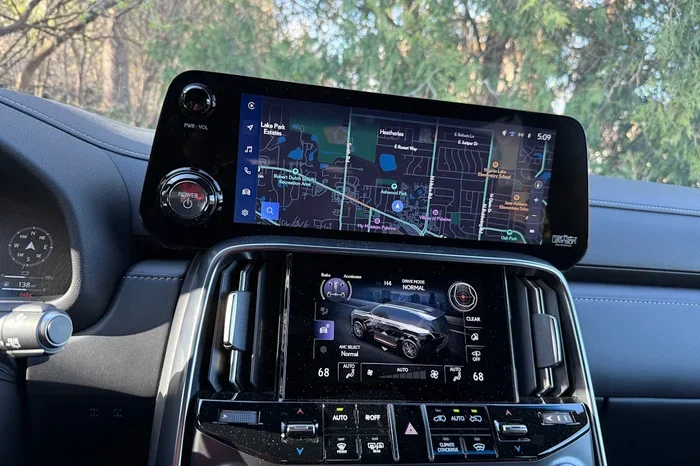
Before you dive into the update process, it helps to understand what you are working with. The Lexus navigation system is a built-in GPS feature that provides turn-by-turn directions, traffic updates, and points of interest. It runs on a dedicated infotainment platform specific to your model year.
The system stores map data either on a built-in hard drive or on a removable storage device. Over time, roads change, new routes open, and businesses close or open. Updating the maps ensures your directions remain accurate. Think of it like updating the apps on your phone. The more current the data, the better the experience.
How the Lexus Navigation Hardware Works
Most Lexus models from the past decade use a combination of a touchscreen display and a dedicated navigation computer. The screen connects to the GPS antenna, usually mounted on the roof of the car. This antenna receives satellite signals to pinpoint your location.
The navigation computer processes this data alongside map files stored locally. Some newer models also connect to Lexus Enform, a cloud-based service that provides live traffic and weather updates. Understanding this setup helps you troubleshoot when something goes wrong.
Why Navigation Updates Matter
Outdated maps can lead to wrong turns, missed exits, and frustrating detours. More importantly, road closures and construction zones change frequently. A current map database helps you avoid these issues. Regular updates also improve the speed and responsiveness of the navigation screen.
If you have ever noticed your Lexus navigation showing roads that no longer exist or missing new highways, that is a clear sign an update is needed. Keeping your system current is one of the easiest ways to maintain your car’s value and usability.
How to Update Your Lexus Navigation System at Home
Updating your navigation system at home saves time and money. You do not need to visit a dealer or schedule an appointment. With the right tools and a little patience, you can complete the process in under an hour.
Here is what you need before you begin:
- A laptop or desktop computer with internet access
- A USB flash drive (8 GB or larger, formatted as FAT32)
- Your Lexus model year and trim level
- A stable internet connection
- About 30 to 60 minutes of uninterrupted time
Start by visiting the official Lexus website or the Lexus Enform portal. Navigate to the navigation update section. Enter your vehicle details, including the VIN if prompted. This ensures you download the correct map files for your specific model. Download the update files to your computer, then transfer them to your USB drive.
Insert the USB drive into your car’s infotainment port. Navigate to the settings menu on your navigation screen. Look for the system update or map update option. Follow the on-screen prompts to install the files. The system will verify the data and apply the update automatically.
During the installation, do not turn off the car or remove the USB drive. The process typically takes 15 to 30 minutes depending on the size of the update. Once complete, the system will prompt you to restart the navigation unit.
Can I Update My Lexus Navigation System Using an SD Card?
Some Lexus models support SD card updates instead of USB. Check your owner’s manual to confirm which method your car supports. If SD cards are compatible, the process is nearly identical. Simply transfer the downloaded files to a properly formatted SD card and insert it into the card slot.
The advantage of using an SD card is convenience. You can keep one in your glove box dedicated to navigation updates. This makes future updates even faster. Just make sure the SD card is compatible with your system’s capacity requirements.
Different Methods to Update Lexus Navigation
There are a few different ways to update your Lexus navigation system. Each method has its own benefits. Let us break them down so you can choose the one that works best for you.
Method 1: USB Drive Update
This is the most common and widely supported method. It works across most Lexus models and does not require an internet connection in the car. You download the files on a computer and transfer them via USB.
The USB method is reliable and gives you full control over the update process. You can pause, resume, or verify the files before installing. If you are comfortable using a USB drive, this is the method to choose.
Method 2: Map Disc Update
Older Lexus models used DVD map discs for navigation updates. You could order a new disc directly from Lexus and insert it into the disc player. The system would guide you through the installation process.
While this method is becoming less common, it is still available for certain model years. If your car has a disc drive, check the Lexus website for available map discs. Keep in mind that disc updates may not include the latest road data compared to digital downloads.
Method 3: Dealer Update Service
If you prefer not to handle the update yourself, a Lexus dealer can do it for you. They have specialized equipment and access to the latest map data. This method is the most hands-off approach but may involve a service fee.
Some dealers offer free navigation updates as part of a routine maintenance visit. It is worth asking about when you bring your car in for an oil change or inspection. This option is especially helpful if you are not comfortable working with USB drives or digital files.
Method 4: Lexus Enform Subscription Updates
Lexus Enform is a connected services platform that offers real-time navigation features. Subscribers can receive map updates and traffic data through the cloud. If your Lexus supports Enform, check your subscription status for available updates.
This method works similarly to how your phone receives app updates over Wi-Fi. It is convenient but requires a cellular connection in your vehicle. Not all Lexus models support Enform, so check your specific trim and year.
| Method | Best For | Cost | Difficulty |
|---|---|---|---|
| USB Drive | Most Lexus owners | Free | Easy |
| Map Disc | Older model years | Varies | Easy |
| Dealer Service | Those who prefer hands-off | Free to fee | Very Easy |
| Lexus Enform | Connected car subscribers | Subscription | Easy |
Common Problems When Updating Lexus Navigation
Even with careful preparation, you may run into issues during the update process. Most problems are simple to fix. Here are the most common challenges and how to solve them.
USB Drive Not Recognized
If your car does not detect the USB drive, the first thing to check is the format. The drive must be formatted as FAT32. NTFS or exFAT formats are not supported by most Lexus systems. You can reformat the drive on your computer, but remember that this erases all data on the drive.
Also, make sure you are using a USB drive without too much storage. Some older Lexus systems struggle with drives larger than 32 GB. Try a smaller drive if the larger one does not work. A basic 8 GB or 16 GB USB flash drive is usually the safest choice.
Update Files Won’t Install
This issue often happens when the downloaded files are incomplete or corrupted. Delete the files and download them again from the official Lexus website. Make sure your internet connection is stable during the download. A slow or interrupted connection can cause file corruption.
If the files download correctly but still fail to install, check your model year compatibility. Map updates are often specific to certain model years and trims. Using the wrong files will cause the installation to fail. Always double-check that you selected the correct vehicle details when downloading.
Screen Freezes During Installation
A frozen screen during an update can be alarming. In most cases, the system just needs more time to process. Wait at least 15 minutes before taking any action. The installation process can take longer than expected, especially for large map files.
If the screen remains frozen after 20 minutes, you may need to restart the system. Turn off the car, remove the USB drive, wait a minute, and then reinsert it. The system should resume the installation from where it left off. If the problem persists, try the update again with a different USB drive.
Navigation Still Shows Old Maps After Update
Sometimes the update completes but the screen still displays outdated map data. This usually happens when the system has not fully refreshed. Try restarting the navigation unit from the settings menu. A full system restart clears the cache and loads the new map files properly.
You can also try ejecting and reinserting the USB drive. This forces the system to re-read the update files. If neither solution works, the files may not have been transferred correctly. Redownload and try the update again.
Tips for a Smooth Navigation Update
A little preparation goes a long way. Following these tips helps ensure your Lexus navigation update goes smoothly the first time.
- Back up your favorites and saved routes before starting the update. Some updates may reset your saved data.
- Charge your car battery fully before beginning. A low battery can interrupt the installation and cause problems.
- Use a high-quality USB drive from a reputable brand. Cheap or counterfeit drives often fail during file transfers.
- Close other apps on your computer during the download to ensure a stable connection.
- Park in a safe location with the engine running. Do not attempt the update while driving.
- Check your model year compatibility on the Lexus website before downloading any files.
- Keep your owner’s manual nearby for reference. It contains model-specific instructions and troubleshooting tips.
Another helpful tip is to update your navigation system during the cooler months. Heat can cause electronic components to behave unpredictably. A cool, comfortable environment keeps your car’s systems running smoothly during the update process.
If you also use your phone for navigation, consider how the two systems interact. For instance, if you rely on Can I Start My Car With My Phone features, make sure your phone connectivity does not interfere with the navigation unit during an update. Disabling Bluetooth temporarily can help prevent conflicts.
When to Seek Professional Help for Your Lexus Navigation
Most navigation updates go smoothly with the steps above. But sometimes, professional help is the right call. Knowing when to visit a dealer can save you time and frustration.
You should consider professional assistance if the update fails repeatedly. If you have tried the USB method three or more times without success, a technician can diagnose the issue. They may discover a hardware problem with the USB port or the navigation computer itself.
Other signs that you need professional help include persistent error messages, a blank navigation screen after an update, or the system refusing to recognize any USB device. These symptoms could indicate a deeper issue that goes beyond a simple software update.
It is also worth visiting a dealer if your Lexus is still under warranty. Navigation system repairs or replacements may be covered at no cost to you. Always check your warranty status before paying for any service work. A quick call to your local Lexus dealer can clarify what is covered.
Regular maintenance of your car’s electronic systems is just as important as oil changes and tire rotations. If you are curious about other car tech upgrades, you might enjoy reading about Can I Change The Sound System In My Car. Many of the same principles apply when upgrading or maintaining car electronics.
Similarly, if you experience warning lights on your dashboard after a navigation update, do not ignore them. A check charging system warning, for example, could be unrelated to the navigation but still important to address. Learn more about handling such warnings at Can You Drive With A Check Charging System Warning.
Your car’s settings and features work together as a system. Understanding how to adjust them gives you more control over your driving experience. For example, learning about Can I Switch Drive Modes While Driving can complement your navigation setup and improve overall vehicle performance.
Conclusion
Updating your Lexus navigation system at home is entirely achievable with the right guidance and a little patience. You have several methods to choose from, including USB drives, SD cards, map discs, and dealer services. Each method has its strengths, and the USB approach works well for most owners.
Remember to prepare properly before starting. Back up your data, use a quality USB drive, and confirm your model compatibility. When issues arise, most are easily fixable with simple troubleshooting steps. Keeping your maps current improves your daily driving experience and keeps you safe on unfamiliar roads.
Take the time to update your navigation system today. A smooth, accurate GPS experience makes every trip more enjoyable. Your Lexus is a premium vehicle, and maintaining its technology is part of the ownership experience. With this guide, you have everything you need to succeed.
Frequently Asked Questions
How often should I update my Lexus navigation maps?
Most experts recommend updating your Lexus navigation maps once a year. Road changes, new businesses, and construction zones happen frequently. Annual updates keep your directions accurate and reliable. Some Lexus owners update even more often if they travel to new areas regularly.
Can I update my Lexus navigation without a USB drive?
Yes, if your Lexus model supports it. Newer vehicles with Lexus Enform can receive map updates over Wi-Fi or cellular connections. You can also visit a Lexus dealer who can perform the update using their professional equipment. Check your owner’s manual to see which options are available for your specific model.
Is it free to update my Lexus navigation system?
Map updates through the Lexus website are typically free for a certain period after purchase. Some newer models may require a paid subscription for continued map updates. Dealer updates may also be free if your vehicle is still under warranty. Always check the Lexus website or contact your dealer for current pricing.
What happens to my saved destinations during a navigation update?
In most cases, saved destinations and favorites are preserved during a standard map update. However, it is always a good idea to back up your data before starting. Write down your most-used addresses or take a screenshot of your saved locations as a precaution. A full system reset is rare but can occasionally clear saved data.
Can I drive while the navigation system is updating?
No. You should never drive while the navigation system is updating. Always park in a safe location with the engine running before beginning the process. Interrupting an update while driving can damage the navigation system and create safety hazards. Wait until the installation is fully complete before hitting the road.
Why is my Lexus navigation slower after an update?
A slower navigation system after an update can happen if the new map files are larger and require more processing power. This is usually temporary and improves after a few uses as the system caches the new data. If slowness persists, try restarting the navigation unit or clearing the system cache through the settings menu.