How Do I Change My System Clock and Fix Time Issues
Changing your system clock is simple once you know where to look. Whether your car clock resets after a battery change or the time zone is wrong, this guide covers every fix. You will learn how to adjust the clock on your dashboard, troubleshoot syncing errors, and prevent future time issues with ease.
Have you ever looked at your dashboard and noticed the time is completely wrong? Maybe it flashed 12:00 after a battery change, or the clock keeps resetting every time you turn off the engine. Either way, a broken system clock is frustrating, and it happens to almost every driver at some point.
The good news is that fixing this problem is usually quick and straightforward. In this guide, we will walk you through every step to change your system clock and resolve common time issues in your vehicle. Whether you drive a sedan, SUV, or truck, the process is similar across most makes and models. By the end of this article, you will know exactly how to set the correct time, sync your clock with GPS signals, and troubleshoot stubborn problems that keep coming back.
We will also share tips that go beyond just setting the time. You will learn about clock synchronization, time zone adjustments, and how your car’s electronics keep track of the clock even when the engine is off. Let us dive in and get your car clock working perfectly again.
Key Takeaways
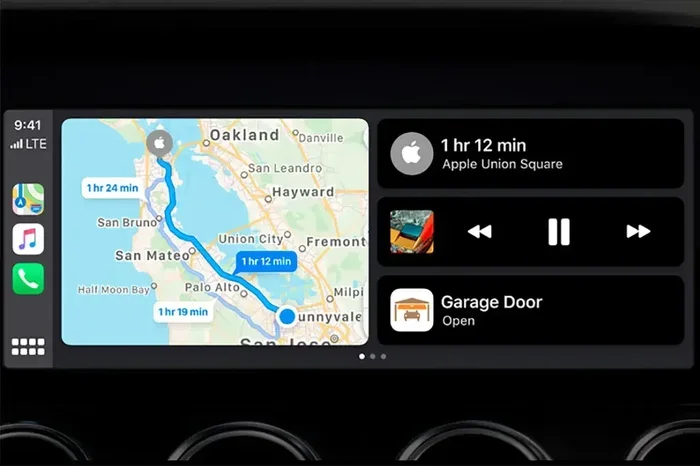
- Quick Clock Access: Most cars let you change the system clock through the settings menu on your infotainment screen or dashboard panel.
- Time Zone Sync Matters: Setting your correct time zone ensures your clock stays accurate across different regions.
- Battery Changes Reset Clocks: A dead or replaced car battery often causes the clock to reset, so you will need to re-adjust it.
- Common Fixes Are Easy: Most time issues can be solved by restarting the system, checking the fuse, or updating the software.
- Prevent Future Issues: Regular maintenance and keeping your system updated helps avoid repeated clock problems.
- Professional Help Exists: If DIY fixes do not work, a mechanic or dealership can diagnose deeper electrical or software issues.
📑 Table of Contents
Why Your Car Clock Shows the Wrong Time
Before we fix the problem, it helps to understand why it happens in the first place. A car clock relies on your vehicle’s electrical system and sometimes a small backup battery to keep running. When something disrupts that power supply, the clock loses its memory and resets. Here are the most common reasons your dashboard clock shows the wrong time.
Battery Replacement or Drain
This is the number one reason clocks reset. When you replace your car battery or when the battery dies completely, the clock loses its stored time data. The infotainment system also resets, which means your radio presets, Bluetooth connections, and clock settings all go back to default. Think of it like your phone losing power and needing you to set the time again.
Some vehicles have a small backup battery on the motherboard that keeps the clock running when the main battery is disconnected. If that backup battery is old or weak, the clock will reset more often. This is an easy fix that a mechanic can handle in minutes.
Time Zone Changes While Traveling
If you drive across state lines or travel internationally, your clock might not update automatically. Older vehicles do not have automatic time zone detection, so you need to manually change the time zone settings. Even some newer cars with GPS sync can sometimes miss the update, especially if the satellite signal is weak.
Software Glitches and Updates
Modern cars run on software, just like your phone. Sometimes a software update or glitch can mess with the clock settings. The system might freeze, restart, or simply forget the time. If you recently updated your infotainment system, check the clock first to make sure everything still looks correct.
Faulty Fuse or Wiring
In rare cases, a blown fuse or loose wiring behind the dashboard can cause the clock to stop working entirely. If the clock does not turn on at all, this could be the culprit. A professional mechanic can check the fuse box and wiring to confirm.
How to Change Your System Clock Step by Step
Now that you know why clocks go wrong, let us fix them. The exact steps vary slightly depending on your car model, but the general process is very similar. Here is how to change your system clock on most vehicles.
Method 1: Using the Infotainment Screen
Most modern cars with touchscreen displays make clock adjustment easy. Follow these steps:
- Start your car and wait for the infotainment system to fully boot up.
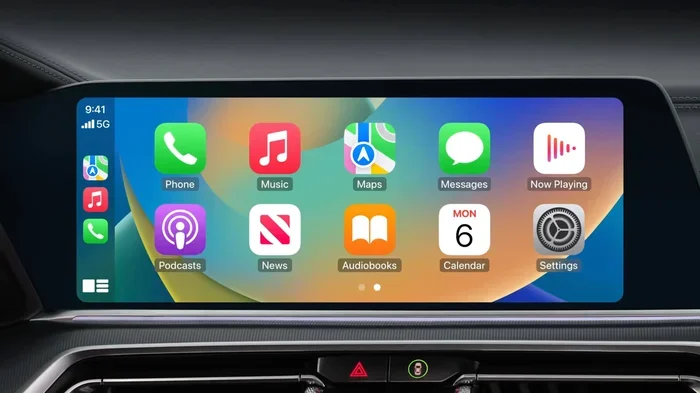
- Tap the Settings icon on the home screen. It usually looks like a gear or wrench.
- Look for a section called Clock, Time, or Date & Time.
- Tap on the current time to enter edit mode.
- Use the plus and minus buttons or the on-screen keyboard to adjust the hour and minutes.
- Select AM or PM if your clock uses a 12-hour format.
- Tap Save or Confirm to lock in your changes.
Some systems also let you switch between a 12-hour and 24-hour clock format in the same menu. If your clock shows something like 14:00 instead of 2:00 PM, you can toggle this setting to match your preference.
Method 2: Using Dashboard Buttons
Older vehicles or models without touchscreens use physical buttons to adjust the clock. Here is what to do:
- Turn the ignition to the ON position (do not start the engine).
- Locate the Clock button on the dashboard or steering wheel controls.
- Press and hold the Hour button until the hour digits start blinking.
- Press the Minute button to adjust the minutes.
- Release both buttons once the time is correct.
If your car does not have a dedicated Clock button, look for a Settings or Menu button on the radio unit. Many factory stereos have a hidden clock menu accessible through the tuning knobs. Turn the knob to scroll through options and press it to select.
Method 3: Using Your Phone or App
Some newer vehicles connect to a smartphone app that lets you control various settings remotely. If your car supports this feature, you can adjust the clock through the app. This is especially helpful if you want to pre-set the time before you get in the car.
For example, many 7-inch music system for car units come with companion apps that let you control the clock, music, and navigation from your phone. If you have one of these systems, check the app settings for a time adjustment option.
How to Sync Your Car Clock with GPS Time
Many modern vehicles have a feature that automatically syncs the clock with GPS satellites. This means your clock should always show the correct time without any manual input. But sometimes this feature does not work properly, and you need to troubleshoot it.
Why GPS Time Sync Is Useful
GPS time sync eliminates the need to manually adjust the clock every time you cross a time zone. Your car receives satellite signals and updates the time automatically. This is especially helpful for drivers who travel frequently or live near time zone borders.
How to Enable GPS Time Sync
Not all cars have this feature, but if yours does, here is how to turn it on:
- Go to Settings on your infotainment system.
- Find the Clock or Date & Time section.
- Look for an option called Auto Sync, GPS Time, or Set Automatically.
- Toggle it ON.
- Wait a few moments for the system to connect to satellites and pull the correct time.
If the clock still does not update, your GPS antenna might need a reset. Try turning the system off and back on. You can also check if your vehicle has a software update available for the GPS module. Sometimes a simple update fixes sync issues completely.
When GPS Sync Does Not Work
GPS time sync depends on a clear view of the sky. If you are driving through a tunnel, under heavy tree cover, or in a city with tall buildings, the signal may drop. Once you exit that area, the clock should sync again. If it does not, the GPS module itself might need professional attention.
Fixing Common Clock Problems
Sometimes changing the clock is not enough. You might have a recurring issue that keeps coming back no matter how many times you reset it. Here are the most common clock problems and how to fix them.
The Clock Resets Every Time You Turn Off the Car
This almost always points to a weak or dead backup battery on the motherboard. The main car battery powers everything while the engine runs, but a small coin-cell battery on the circuit board keeps the memory alive when the car is off. When that coin battery dies, the clock resets along with other saved settings.
Replacing this tiny battery is inexpensive and easy. You can find the exact model at any auto parts store. Just make sure you disconnect the main battery before working on the motherboard to avoid electrical damage.
The Clock Won’t Change at All
If the clock is frozen and unresponsive, try a system restart. Most infotainment units have a reset button or can be restarted by holding the power button for 10 seconds. This clears temporary glitches and often fixes an unresponsive clock.
If a restart does not work, check your fuse box. A blown fuse to the infotainment system can prevent the clock from functioning. Refer to your owner’s manual to locate the correct fuse and replace it if needed.
The Clock Shows the Wrong Date
Some cars link the clock and date settings together. If the date is wrong, the time might also be off. Go to the Date & Time settings and adjust both the date and time together. Make sure the month, day, and year are all correct before saving.
For vehicles with automatic date sync, check the GPS connection. A weak GPS signal can cause the date to display incorrectly, which in turn affects the time display.
The Clock Is Off by One Hour
This usually means your clock is set to the wrong time zone. If you recently moved or traveled, the system might still be set to your old time zone. Go into the settings and update the time zone to your current location. If your car has auto-sync, turn it off and back on to force a fresh GPS update.
Tips to Keep Your Car Clock Accurate
Prevention is always better than fixing problems after they happen. Here are some simple tips to keep your car clock running accurately for years to come.
- Replace the backup battery regularly. Every 3 to 5 years, check the coin-cell battery on your infotainment motherboard and replace it if needed.
- Keep your software updated. Check for infotainment system updates at your dealership or through the manufacturer’s app.
- Avoid disconnecting the main battery unnecessarily. Every time you disconnect the battery, the clock resets and may lose other settings too.
- Use GPS sync when available. This takes the manual work out of keeping your clock accurate and saves you time.
- Check the clock after a battery replacement. Always verify the time and date after changing your car battery so you can fix it immediately.
- Inspect the fuse box annually. A quick check of the fuses related to your infotainment system can prevent unexpected clock failures.
If you have a unit like a 7-inch car display, these maintenance tips apply even more because these systems handle multiple functions including clock, audio, and navigation. Keeping the system updated ensures all features work smoothly together.
When to Seek Professional Help
Most clock issues are simple fixes that any car owner can handle. But sometimes the problem runs deeper than a dead battery or a software glitch. Here are signs that you should take your car to a professional.
- The clock and other electronic systems all stop working at the same time.
- You notice a burning smell or visible damage near the dashboard.
- The clock keeps resetting even after you replace the backup battery.
- Multiple fuses blow repeatedly in the same circuit.
- Your infotainment system crashes frequently and does not respond to a restart.
A qualified mechanic or dealership technician can run diagnostic tests on your vehicle’s electrical system. They can check the motherboard, wiring harness, and GPS module to find the root cause. In most cases, the fix is simple and affordable, but ignoring the problem can lead to bigger electrical issues over time.
Some drivers also choose to upgrade their entire infotainment unit when clock problems become frequent. A new 7-inch music system for car comes with updated software, better GPS reception, and a more reliable clock module. If your current system is old and outdated, an upgrade might be the best long-term solution.
How Different Car Brands Handle Clock Settings
Every car brand has its own way of accessing clock settings. Here is a quick comparison of how some popular brands handle it.
| Brand | How to Access Clock Settings | Auto Sync Available |
|---|---|---|
| Toyota | Settings > Clock on touchscreen | Yes, on most models |
| Honda | Button on radio unit or steering wheel | Yes, on newer models |
| Ford | Settings > Time & Date on SYNC screen | Yes, with SYNC 3 or 4 |
| Chevrolet | Infotainment Settings > Clock | Yes, with OnStar |
| BMW | iDrive Menu > Settings > Time | Yes, with navigation |
As you can see, most brands follow a similar pattern. You find the clock settings through the main settings menu, and many newer models support automatic time sync. If you own a vehicle not listed here, check your owner’s manual for the exact steps.
Final Thoughts
Changing your system clock and fixing time issues does not have to be stressful. With the right knowledge, you can handle most clock problems in just a few minutes. Start by identifying the root cause, whether it is a dead battery, a time zone mismatch, or a simple software glitch. Then follow the steps outlined in this guide to get your clock back on track.
Remember to maintain your car’s electrical system regularly. Replace the backup battery, keep your software updated, and use GPS sync whenever possible. These small habits will save you from repeated clock resets and keep your dashboard running smoothly.
If you ever feel stuck or the problem seems too complex, do not hesitate to visit a professional. A quick diagnostic check can save you hours of frustration and prevent bigger issues down the road. Your car clock may be a small feature, but keeping it accurate makes a big difference in your daily driving experience.
Take a few minutes today to check your clock settings and make sure everything is correct. A well-set clock might seem like a small detail, but it keeps you on time and on track for every drive.
Frequently Asked Questions
Why does my car clock keep resetting after I turn off the engine?
This usually happens because the backup battery on your infotainment motherboard is dead or weak. Replacing this small coin-cell battery is inexpensive and usually solves the problem right away. If the issue persists, a mechanic can check for deeper electrical problems.
Can I change my car clock from 12-hour to 24-hour format?
Yes, most vehicles allow you to switch between 12-hour and 24-hour formats in the clock settings menu. Look for a Format or Display option within the Date & Time section of your infotainment system.
How do I sync my car clock with my phone?
Some cars and phone apps allow clock syncing through Bluetooth or USB connectivity. Check your vehicle’s settings for a Sync with Phone or Auto-Time option. Not all vehicles support this feature, so consult your owner’s manual for details.
What should I do if my car clock is off by two hours?
A two-hour difference usually means your time zone is set incorrectly. Go to your clock settings and update the time zone to your current location. If your car has GPS auto-sync, turn it on to let the system correct the time automatically.
Is it safe to replace the backup battery myself?
Yes, it is generally safe if you follow proper precautions. Disconnect the main car battery before working on the motherboard, and handle the coin-cell battery gently. If you are not comfortable doing it yourself, a mechanic can replace it in just a few minutes.
Will upgrading my infotainment system fix clock problems?
Upgrading to a new unit like a 7-inch car display can resolve recurring clock issues because newer systems have more reliable electronics and updated software. It also gives you access to better GPS sync and more accurate timekeeping features.
=== CONCLUSION ===
Your car clock might not be the most glamorous feature, but it plays a big role in your daily routine. Whether you are commuting to work, running errands, or taking a road trip, knowing the correct time keeps you organized and on schedule. Now that you know how to change your system clock and fix common time issues, you can handle the problem confidently the next time it comes up.
Keep the tips from this guide handy. Replace that backup battery, update your software, and use GPS sync whenever possible. These small steps go a long way in keeping your car electronics running smoothly. And if the clock problem ever feels too complex, remember that professional help is always just a phone call away.