How to Get Your Car Out of Anti-Theft Mode With a Fob
If your car is stuck in anti-theft mode, you know the frustration. This guide shows you exactly how to get your car out of anti-theft mode with a fob using simple, proven methods. You’ll learn the key fob reset, battery trick, and OBD scanner approach to get back on the road fast.
Finding your car locked in anti-theft mode is a headache no one expects. You turn the key or press the start button, and nothing happens. The engine cranks, but the car refuses to fire up. A flashing security light on the dashboard tells you the immobilizer has engaged. This system is designed to protect your vehicle, but it can become a major inconvenience when it activates by mistake.
If you are stuck, keep reading. This article explains how to get your car out of anti-theft mode with a fob using simple, proven steps. You will learn three different methods that work for most makes and models. Whether you drive a sedan, truck, or SUV, the fix is often easier than you think.
Most people panic when their car refuses to start. They worry about expensive repairs or being stranded. The truth is that anti-theft mode is a security feature, not a permanent lockout. With the right approach, you can reset the system and get back on the road in minutes. This guide covers everything you need to know, from quick fob tricks to using an OBD-II scanner. I will also share common mistakes to avoid and tips from automotive experts.
Key Takeaways
- Anti-theft mode activates when the car’s immobilizer does not recognize the key fob, often due to a dead battery or signal glitch.
- The simplest fix is to reset the fob by holding the unlock and lock buttons together for several seconds while near the car.
- Disconnecting the battery for 10-15 minutes can clear the security system and reset the module.
- An OBD-II scanner can read and clear anti-theft codes without a trip to the dealer.
- Check the fob battery first; a low CR2032 battery is the most common cause.
- Call a locksmith if the system remains locked, as they can reprogram the fob on the spot.
- Prevent future lockouts by replacing the fob battery annually and keeping a spare key nearby.
📑 Table of Contents
What Is Anti-Theft Mode and Why Does It Activate?
Anti-theft mode, also known as the immobilizer system, is a security feature built into modern vehicles. It prevents the engine from starting unless the correct key fob or transponder key is detected. The system uses a small chip inside your key fob that communicates with the car’s computer. If the computer does not recognize the signal, it blocks fuel injection and ignition. This makes it very hard for thieves to hotwire your car.
The immobilizer system has been mandatory in new cars sold in the United States and Europe since the mid-1990s. Before that, cars were much easier to steal. Today, a working immobilizer reduces vehicle theft by up to 40 percent, according to some studies. However, this technology can sometimes cause frustration for legitimate owners.
How Your Car’s Security System Works
The immobilizer system is always active when you turn off the engine. When you insert the key or press the start button, the car checks the fob’s unique code. If the code matches, the engine starts. If it does not match, the security light flashes, and the engine stays locked. This process happens in milliseconds. You rarely notice it unless something goes wrong.
Many drivers do not realize their car has an immobilizer until it activates unexpectedly. The system can mistake a weak fob signal for a theft attempt. This is why understanding how the system works helps you troubleshoot faster.
The key fob contains a tiny transponder chip. This chip emits a low-frequency radio signal. The car’s antenna ring around the ignition cylinder or start button picks up this signal. The signal is sent to the engine control module (ECM). The ECM compares the code against a stored list of authorized codes. If there is a match, the ECM allows the fuel pump and ignition to operate. If not, the engine is immobilized.
Common Triggers That Put Your Car in Lockdown
Several things can trigger anti-theft mode. The most common cause is a dead key fob battery. When the fob battery drops below a certain level, the signal becomes too weak for the car to read. Other triggers include a faulty fob, a recent battery disconnect, or a glitch in the car’s computer. Sometimes simply locking the doors with the fob inside the car can cause the system to re-pair incorrectly.
Weather can also play a role. Extreme cold or heat can drain the fob battery faster. If you leave the fob in your pocket while doing laundry or near a strong magnetic field, the transponder chip might get temporarily disrupted. Even a low car battery can confuse the security module.
Here are the most common triggers listed out:
- Dead key fob battery – The most frequent cause. The fob cannot transmit a strong enough signal.
- Fob signal interference – Other electronic devices near the fob can block the signal.
- Recent car battery disconnect – The security module loses its memory and needs to relearn the fob.
- Faulty transponder chip – The chip inside the fob is damaged or cracked.
- Water damage – Moisture inside the fob can short the circuitry.
- Software glitch – The car’s computer needs a reset after a power surge or lightning strike.
Quick Tips
If you have a spare fob, try it first. If the spare works, your original fob battery is likely dead or the chip is faulty. This simple test saves you a lot of guesswork. Also, always keep your fob away from strong magnetic fields, such as those found in laptop speakers or magnetic phone mounts.
Signs Your Car Is in Anti-Theft Mode
Before you try any fix, you need to confirm that your car is actually in anti-theft mode. The symptoms are usually very clear. Once you recognize the signs, you can move to the solution faster.
Dashboard Warning Lights You Can’t Ignore
The most obvious sign is a flashing security light on the dashboard. This light often looks like a car with a key inside it. It might flash steadily or rapidly. In some vehicles, the check engine light also comes on. The security light stays on even after you turn the ignition to the run position. If you see this light, the immobilizer has engaged and is blocking the engine.
Some cars display a message on the instrument cluster. You might see words like “Security Mode,” “Immobilizer Active,” or “Key Not Detected.” These messages are clear indicators that the anti-theft system is preventing startup. The light may continue to flash even after you turn the key to the “On” position. This is different from a normal startup sequence where the light turns off after a few seconds.
The Engine Cranks but Won’t Start
Another classic sign is when the engine cranks normally but does not start. You hear the starter motor turning, but no combustion occurs. The fuel injectors are being shut off by the immobilizer. The car might crank for a few seconds and then stop. In some cases, the engine will crank but run for only a second before dying. This behavior is a strong indicator of anti-theft activation.
You might also notice that the doors lock and unlock automatically when you try to start the car. This is the system attempting to re-sync with the fob. If this happens repeatedly, the anti-theft mode is definitely active. The car may also refuse to unlock the doors with the fob, requiring you to use the physical key.
Expert Insights
According to ASE-certified master technician Mike Allen, the security light flashing for more than 3 seconds after turning the key to “On” is the primary indicator of an active immobilizer. He advises drivers not to panic and to follow a systematic reset procedure before calling for help. He also notes that the problem is often a simple fob battery issue, not a major electrical fault.
How to Get Your Car Out of Anti-Theft Mode With a Fob
Now for the main part. Here are three reliable methods to reset the anti-theft system using your key fob. Try them in order. Most drivers resolve the issue with the first method. Each method is explained in detail below.
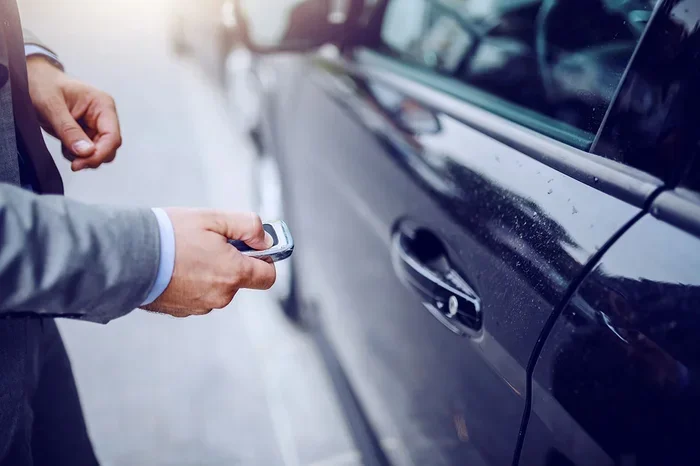
Method 1: The Key Fob Reset Button Trick
This is the simplest and fastest fix. It works when the fob signal is weak but not dead. The goal is to force the car to re-learn the fob’s signal. This method is often called the “reset procedure” by locksmiths.
Follow these steps carefully:
- Sit inside the car and close all doors. Make sure no windows are open.
- Insert the key into the ignition or press the start button without pressing the brake.
- Turn the ignition to the “On” position. Do not start the engine. The dashboard lights will come on.
- Locate the lock and unlock buttons on the fob.
- Press and hold both buttons simultaneously for about 10 seconds.
- Release the buttons and wait for the doors to lock or the security light to stop flashing.
- Turn the ignition off and then back on.
- Try to start the engine.
This trick resets the rolling code between the fob and the car. Many drivers find it solves the problem immediately. If it does not work, move to the next method.
Common Mistakes
Do not hold the buttons for too long. Holding them for more than 15 seconds can sometimes put the fob into a pairing mode that requires a dealer scan tool to exit. Keep the hold to 10 seconds exactly. Also, make sure you are inside the car with all doors closed. The system will not accept the reset if a door is open.
Method 2: The Battery Disconnect Reset
If the fob reset trick fails, the next step is to power cycle the car’s computer. Disconnecting the battery clears the anti-theft module and forces it to reinitialize. This method works on almost all vehicles.
Here is the step-by-step process:
- Turn off the engine and remove the key from the ignition.
- Open the hood and locate the car battery.
- Use a wrench to loosen the negative (black) battery cable first.
- Lift the cable off the battery terminal and tuck it away so it cannot touch the terminal.
- Wait for at least 10 to 15 minutes. This allows the capacitor to discharge and the security module to reset.
- Reconnect the negative cable and tighten it securely.
- Close the hood and enter the car.
- Insert the key and turn the ignition to the “On” position. Wait for the security light to stop flashing. It may take a minute.
- Try to start the engine.
Some cars require a relearn procedure after a battery disconnect. You may need to lock and unlock the doors with the fob before starting. If the security light stays on, leave the key in the “On” position for 10 minutes. The light should turn off, and the system will accept the fob again.
Quick Tips
While the battery is disconnected, use a memory saver device to keep the radio presets and clock settings intact. These devices plug into the OBD-II port and provide a small amount of power. They are inexpensive and very useful. Also, never disconnect the positive battery cable first. Always remove the negative cable to avoid short circuits.
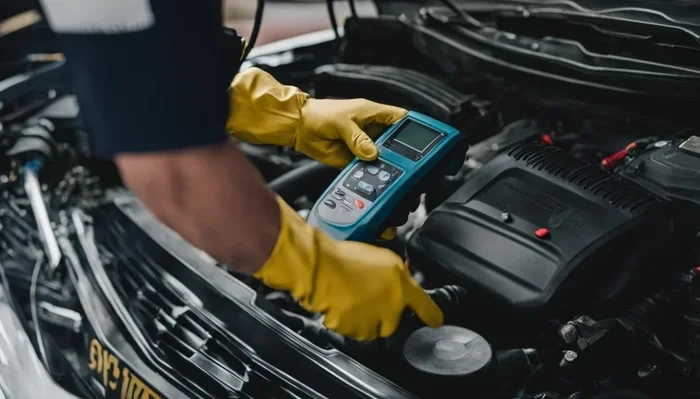
Method 3: Using an OBD-II Scanner to Clear Codes
An OBD-II scanner is a powerful tool for diagnosing and clearing anti-theft codes. This method is ideal if the security light stays on after a battery reset. The scanner reads the fault codes stored in the car’s computer and can clear them.
Follow these steps:
- Purchase or borrow an OBD-II scanner. You can find a basic one at any auto parts store for under $50.
- Plug the scanner into the OBD-II port. This port is usually located under the dashboard on the driver’s side.
- Turn the ignition to the “On” position. Do not start the engine.
- Follow the scanner’s prompts to read the fault codes. Look for codes related to the immobilizer or security system. Common codes include U0100, U0140, or P1640, depending on the brand.
- Select the option to clear the codes.
- Turn the ignition off and wait 30 seconds.
- Restart the engine. The anti-theft mode should now be disabled.
If you do not have a scanner, you can visit a parts store like AutoZone or O’Reilly. They often read and clear codes for free. This is a great way to fix the issue without buying equipment.
Comparison Table
| Method | Difficulty | Time Required | Success Rate | Tools Needed |
|---|---|---|---|---|
| Key Fob Reset | Easy | 2 minutes | High | Key fob |
| Battery Disconnect | Medium | 20 minutes | Medium-High | Wrench, memory saver (optional) |
| OBD-II Scanner | Medium | 10 minutes | High | OBD-II scanner |
This table shows the three methods compared. The key fob reset is the fastest and easiest. The battery disconnect is a good middle ground. The OBD-II scanner is the most thorough but requires a tool. Choose the method that matches your comfort level and the tools you have available.
When to Call a Professional Locksmith
Sometimes the DIY methods do not work. The anti-theft system might be deeply locked, or the fob might be damaged. In these cases, a professional locksmith is your best option. They have specialized tools to reprogram your fob and reset the immobilizer.
Why DIY Fixes Sometimes Fail
There are several reasons why your reset attempt might fail. The most common reason is a dead fob battery that cannot be replaced easily. Some fob batteries are sealed and require a trip to the dealer. Another reason is a damaged transponder chip inside the fob. If the chip is cracked or corroded, no reset will work. The car simply will not recognize the fob.
A deeper issue could be a faulty immobilizer module. This is rare but happens, especially in older vehicles with high mileage. The wiring between the fob and the car’s computer might also be damaged. Water intrusion or corrosion can interrupt the signal. If you have tried all three methods and the security light still flashes, it is time to call a professional.
Other warning signs that you need a locksmith include: the fob works for locking and unlocking but not for starting, the security light stays on constantly, the car starts sometimes and sometimes not, or you recently had a battery replacement or jump start. These symptoms indicate a deeper electrical issue that requires professional diagnosis.
What a Locksmith Will Do
A certified automotive locksmith can reprogram your key fob on the spot. They use manufacturer-specific software that connects to the car’s OBD-II port. The locksmith will pair the fob with the immobilizer system. This process usually takes 15 to 30 minutes. They can also cut a new key if your fob is lost or damaged.
Locksmiths are often cheaper than a dealership visit. They come to your location, whether you are at home or on the side of the road. Before calling, make sure you have your car’s VIN number. The locksmith will need this to verify your ownership and pull the correct programming instructions. Also, have your driver’s license and registration ready to prove you own the vehicle.
Expert Insights
Licensed locksmith Sarah Jenkins recommends keeping a spare fob in a safe place at home. She says, “I see many customers who have lost their only fob and are stuck. A spare fob can save you hundreds of dollars in locksmith fees and dealer programming charges.” She also advises drivers to have their fob battery checked annually as part of regular vehicle maintenance.
Preventing Anti-Theft Mode from Returning
Once you have successfully reset the system, you want to prevent it from happening again. Simple maintenance habits can keep your car’s security system working smoothly.
Key Fob Battery Maintenance
The fob battery is the most common cause of anti-theft mode activation. Most key fobs use a CR2032 coin cell battery. This battery typically lasts two to three years. However, cold weather can shorten its life. I recommend replacing the battery once a year as a preventive measure. You can do this yourself with a small flathead screwdriver. Open the fob, remove the old battery, and insert a new one. Make sure the positive side faces up.
Keep a spare battery in your glove box. If the battery dies unexpectedly, you can swap it immediately. This simple habit saves you from being stranded. Also, buy batteries from reputable brands like Duracell or Energizer. Cheap off-brand batteries may not last as long and can leak, damaging the fob.
Keeping Your Car’s Security System Healthy
Beyond the fob battery, there are a few other steps you can take. Avoid placing your fob near strong magnetic fields or electronic devices that emit interference. Do not store the fob in the same pocket as your phone, as the phone’s signal can sometimes confuse the transponder chip. If your car sits unused for long periods, start it once a week and let it run for 10 minutes. This keeps the battery charged and the computer modules powered.
Also, make sure your car battery is in good condition. A weak car battery can cause voltage drops that trigger the immobilizer. Check the battery terminals for corrosion and clean them with a baking soda solution. If your battery is more than three years old, consider replacing it before it fails. A healthy car battery ensures stable voltage to the security module, reducing the chance of false anti-theft triggers.
Quick Tips
Store your spare fob away from your primary fob. If both fobs are in the same drawer, their signals can interfere with each other. Keep one in your home and one in your car (in the glove box) to ensure you always have a working backup. Also, avoid placing the fob near the ignition cylinder when inserting a physical key, as the metal can interfere with the transponder signal.
Key Takeaways
Understanding your car’s anti-theft system empowers you to handle lockouts calmly. The three main methods—key fob reset, battery disconnect, and OBD-II scanner—cover most scenarios. Always start with the simplest fix and work your way up. Regular maintenance, especially annual fob battery replacement, prevents most issues. If DIY methods fail, a professional locksmith can reprogram your fob quickly. Finally, keeping a spare fob and battery on hand saves time and money in emergencies.
Conclusion
Getting your car out of anti-theft mode with a fob is simpler than most people think. You have three reliable methods to try: the key fob reset trick, the battery disconnect reset, and using an OBD-II scanner. Each method targets a different part of the system. Start with the fob reset. If that fails, move to the battery disconnect. Finally, use a scanner to clear any stored codes.
Remember that anti-theft mode is a security feature designed to protect your vehicle. It is not a malfunction. By understanding how the system works and keeping your fob battery fresh, you can avoid most lockouts. If you ever feel stuck, a professional locksmith can help you get back on the road quickly. Take action today and enjoy the peace of mind that comes with a fully functional security system. You now have the knowledge to handle this situation confidently and safely.
Frequently Asked Questions
What triggers anti-theft mode in a car?
The most common trigger is a dead key fob battery, which weakens the signal between the fob and the car’s immobilizer. Other triggers include a faulty transponder chip, a recent battery disconnect, signal interference from electronic devices, or a software glitch in the car’s computer. Even extreme cold can drain the fob battery fast enough to cause a lockout.
How long does it take to get a car out of anti-theft mode?
The key fob reset method takes only about 2 minutes. The battery disconnect reset requires 15 to 20 minutes of waiting time. Using an OBD-II scanner takes around 10 minutes. If you need to visit a locksmith, the reprogramming process usually takes 15 to 30 minutes on site.
Can a dead key fob battery cause anti-theft mode?
Yes, a dead or weak fob battery is the single most common cause of anti-theft mode activation. When the battery voltage drops too low, the fob cannot transmit a strong enough signal for the car’s immobilizer to recognize it. Replacing the CR2032 battery in the fob often resolves the issue immediately.
Is it safe to disconnect the car battery to reset anti-theft mode?
Yes, disconnecting the battery is a safe and widely used method to reset the anti-theft system. It simply clears the security module’s memory so it can relearn the fob’s signal. Always disconnect the negative (black) cable first and wait at least 10 minutes before reconnecting. Use a memory saver if you want to preserve your radio presets and clock settings.
What should I do if the OBD-II scanner cannot clear the anti-theft code?
If the scanner cannot clear the code, the issue may be deeper than a simple software glitch. The immobilizer module itself might be faulty, or the transponder chip in the fob could be damaged. In this case, a professional locksmith or dealership technician can perform a deeper diagnostic and reprogram the system using manufacturer-specific tools.
How can I prevent anti-theft mode from activating again?
Replace your key fob battery once a year, keep a spare battery in your glove box, and store your fob away from strong magnetic fields. Avoid leaving the fob in the same pocket as your phone, and start your car regularly if it sits unused for long periods. These simple habits keep the security system healthy and prevent false lockouts.