Does the Alfa Romeo Giulia Have Apple CarPlay Answer
Yes, the Alfa Romeo Giulia does come with Apple CarPlay, giving you seamless smartphone integration right from the driver’s seat. Whether you have a newer model or an older trim, you can enjoy hands-free navigation, music streaming, and messaging. In this guide, we break down everything you need to know about Apple CarPlay compatibility in the Giulia.
Key Takeaways
- Apple CarPlay is available on most Alfa Romeo Giulia trims, making your drive smarter and safer.
- Both wired and wireless options exist depending on the model year and trim level.
- Setting up CarPlay is simple and takes just a few minutes with your iPhone.
- Key features include navigation, music, calls, and Siri voice control for a hands-free experience.
- Some older models may need a software update or an adapter to access CarPlay.
- The Giulia’s Uconnect infotainment system works seamlessly with Apple CarPlay for a smooth interface.
- Android Auto is also available as an alternative for non-Apple users.
📑 Table of Contents
- Does the Alfa Romeo Giulia Have Apple CarPlay?
- What Is Apple CarPlay and Why Does It Matter?
- Which Alfa Romeo Giulia Trims Offer Apple CarPlay?
- How to Set Up Apple CarPlay in Your Giulia
- Apple CarPlay Features You Will Love in the Giulia
- Common Apple CarPlay Issues and How to Fix Them
- Apple CarPlay vs. Android Auto in the Giulia
- Final Thoughts on Apple CarPlay in the Alfa Romeo Giulia
Does the Alfa Romeo Giulia Have Apple CarPlay?
If you are shopping for a luxury sedan and you love your iPhone, you probably want to know whether the Alfa Romeo Giulia supports Apple CarPlay. The short answer is yes. The Giulia comes equipped with Apple CarPlay across most trim levels, giving you a bridge between your phone and your car’s infotainment system.
Apple CarPlay lets you access your favorite apps, make calls, send messages, and get directions without taking your eyes off the road. It is one of the most popular smartphone integration features on the market today. And the Giulia delivers it in a way that feels natural and intuitive.
Now, the exact version and connection type depend on your model year and trim. Newer Giulia models offer wireless Apple CarPlay, while older ones might use a wired connection through a USB cable. Either way, the experience is smooth and reliable.
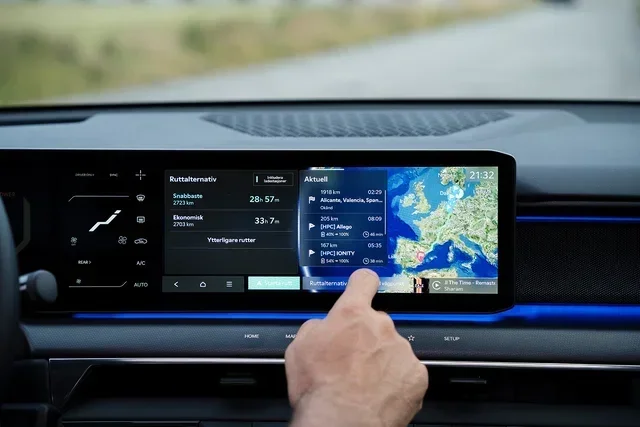
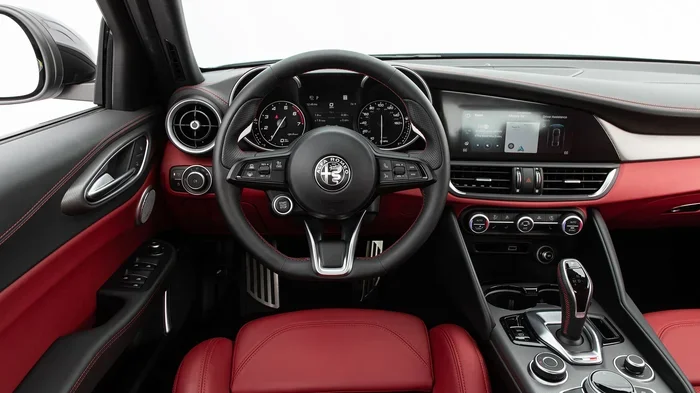
The Giulia also comes with the Uconnect infotainment system, which is Alfa Romeo’s proprietary software platform. This system powers the touchscreen display and manages all your connectivity options. It is designed to work hand in hand with Apple CarPlay to give you a seamless experience.
And if you are curious about how the Giulia’s powertrain compares to hybrid alternatives, you can check out our guide on at what speed does a hybrid switch to gas for a deeper look at fuel efficiency across different drivetrains.
What Is Apple CarPlay and Why Does It Matter?
Apple CarPlay is a feature that mirrors your iPhone’s interface onto your car’s touchscreen. It was designed by Apple to keep you connected while staying safe behind the wheel. Instead of fiddling with your phone, you use the car’s display and controls to interact with your apps.
The system supports a wide range of apps. You get access to Maps for navigation, Music and Spotify for streaming, Phone for hands-free calling, and Messages for voice-to-text replies. You can also use Siri voice control to send commands without touching your phone at all.
Here is why Apple CarPlay matters so much in a car like the Giulia:
- Safety first. You keep your eyes on the road and your hands on the wheel.
- Convenience. Your apps are right there on the big touchscreen display.
- Seamless connection. It pairs with your iPhone in seconds.
- Hands-free operation. Siri lets you make calls, send texts, and set导航 all by voice.
- Music on the go. Stream your playlists, podcasts, and audiobooks through the car’s speakers.
For drivers who rely heavily on their iPhones, CarPlay is not just a nice-to-have. It is practically essential. And the Alfa Romeo Giulia makes sure you get the full experience.
Which Alfa Romeo Giulia Trims Offer Apple CarPlay?
Not every Giulia trim is the same. Apple CarPlay availability can vary depending on the model year and the specific trim level you choose. Let us break it down so you know exactly what to expect.
Standard Trims and Apple CarPlay
On most Giulia trims, Apple CarPlay comes as part of the Uconnect infotainment system. The base Alfa trims include a touchscreen display that supports both Apple CarPlay and Android Auto. This means you get smartphone integration regardless of which trim you pick.
However, some lower trims may only offer a wired connection. You will need to plug in your iPhone using a USB cable to access CarPlay. This is still a great experience, but it does mean you need to keep a cable handy.
Higher Trims and Wireless CarPlay
If you step up to a higher trim level, you are more likely to get wireless Apple CarPlay. This is a game-changer because it eliminates the need for cables altogether. Your iPhone connects automatically when you get in the car.
The wireless version offers the same features as the wired version, but with added convenience. No fumbling with cables. No disconnecting when you leave the car. It just works.
Here is a quick comparison of what you can expect across trims:
| Trim Level | Apple CarPlay | Connection Type | Wireless Support |
|---|---|---|---|
| Base Alfa | Yes | Wired (USB) | No |
| Mid-Level Trim | Yes | Wired or Wireless | Sometimes |
| Higher Trims | Yes | Wireless | Yes |
| Top-End Trim | Yes | Wireless | Yes |
Always check the specific trim details before purchasing. The Alfa Romeo Giulia has many options, and the tech package can make a big difference in your daily driving experience.
How to Set Up Apple CarPlay in Your Giulia
Setting up Apple CarPlay in your Giulia is straightforward. Whether you have a wired or wireless connection, the process is simple and takes just a few minutes.
For Wired Apple CarPlay
- Plug your iPhone into the USB port in the center console.
- Wait for the CarPlay icon to appear on the touchscreen.
- Tap the CarPlay icon to launch the interface.
- Follow the on-screen prompts to allow permissions.
- Start using your apps through the car’s display.
For Wireless Apple CarPlay
- Make sure Bluetooth and Wi-Fi are turned on your iPhone.
- Get in your Giulia and start the engine.
- Your iPhone should detect the car automatically.
- A prompt will appear on both your phone and the car screen.
- Accept the connection and CarPlay will launch.
Quick Tip: If CarPlay does not connect right away, try restarting both your iPhone and the car’s infotainment system. A simple reboot fixes most connection issues.
Also, make sure your iPhone is running the latest version of iOS. Apple frequently updates CarPlay with new features and bug fixes. Keeping your software current ensures the best experience.
Apple CarPlay Features You Will Love in the Giulia
The Alfa Romeo Giulia pairs beautifully with Apple CarPlay. Here are some of the standout features you will enjoy on every drive.
Siri Voice Control
Siri is your best friend when using CarPlay. You can say “Hey Siri” to make calls, send messages, set reminders, and get directions. This keeps your hands on the wheel and your eyes on the road. It is one of the most hands-free driving features available.
You can also use Siri to control your music. Just say “Play my workout playlist” or “Skip this song.” It works effortlessly and feels natural.
Navigation with Apple Maps
Apple Maps works great with CarPlay on the Giulia. You get turn-by-turn directions right on the big touchscreen. The system learns your favorite locations and suggests routes based on traffic conditions.
You can also use third-party navigation apps like Google Maps or Waze through CarPlay. This gives you more options if you prefer a different GPS navigation experience.
Music and Podcasts
With CarPlay, you can access Apple Music, Spotify, Podcasts, and other audio apps directly from the car’s display. The audio flows through the Giulia’s premium speakers for a rich listening experience.
Whether you are commuting to work or taking a long road trip, you will have your favorite music streaming apps at your fingertips. And switching between apps is smooth and lag-free.
Messaging and Calls
The Giulia’s CarPlay setup lets you read and respond to messages using voice dictation. You never need to type while driving. Incoming calls appear on the screen, and you can answer them with a tap or a voice command.
This is especially helpful for hands-free calling and staying connected without any distractions. It is one of the biggest safety benefits of using CarPlay.
And if you are comparing the Giulia with other vehicles, you might also want to check out how hybrid technology works in our article on at what speed does a hybrid switch from electric to gas to understand the broader picture of modern car technology.
Common Apple CarPlay Issues and How to Fix Them
Apple CarPlay is generally reliable, but you may run into occasional issues. Here are the most common problems Giulia owners face and how to solve them.
CarPlay Will Not Connect
If CarPlay does not launch when you plug in your iPhone, try these steps:
- Unplug the USB cable and plug it back in.
- Restart your iPhone.
- Restart the car’s infotainment system by holding the power button.
- Make sure CarPlay is enabled in your iPhone settings under General.
Audio Cuts Out or Sounds Scratchy
If your music sounds choppy or cuts out, the USB cable might be faulty. Try a different high-quality cable. Also, make sure the cable is plugged directly into the car’s port, not through a hub or extension.
Siri Does Not Respond
If Siri is not picking up your voice commands, check your iPhone’s Siri settings. Make sure “Listen for Hey Siri” is turned on. Also, reduce background noise in the car, as the microphone can sometimes struggle with loud engine or road noise.
Maps Are Not Up to Date
Apple Maps updates automatically when your iPhone has an internet connection. If your maps seem outdated, make sure you have a stable Wi-Fi or cellular connection. You can also check for map updates in the Settings app on your iPhone.
Quick Tip: Keep your iPhone charged while using CarPlay for long drives. Navigation and music streaming can drain your battery faster than normal.
Apple CarPlay vs. Android Auto in the Giulia
The Alfa Romeo Giulia supports both Apple CarPlay and Android Auto. This gives you flexibility regardless of which smartphone you use. Both systems offer similar core features, but there are some differences worth noting.
Apple CarPlay tends to feel more polished on iPhones because it is designed specifically for Apple devices. The interface is clean, the apps are well-optimized, and Siri integration is seamless. Android Auto offers a similar experience for Android users, with Google Maps and Google Assistant at the center.
Both systems support messaging, navigation, music, and voice commands. The choice between them really comes down to your phone platform. And the Giulia gives you the best of both worlds by supporting each one.
Final Thoughts on Apple CarPlay in the Alfa Romeo Giulia
The Alfa Romeo Giulia is a fantastic luxury sedan, and the inclusion of Apple CarPlay adds a lot of value to the driving experience. Whether you are using it for navigation, music, or hands-free communication, CarPlay makes every trip more connected and more convenient.
Most Giulia trims come with CarPlay standard, and higher trims offer the added convenience of wireless connectivity. The setup is simple, the features are robust, and the integration with the Uconnect system is smooth.
If you are in the market for a sedan that combines Italian style with modern technology, the Giulia is a strong contender. And with Apple CarPlay, you get a familiar and intuitive interface that makes your phone feel like a natural part of the car.
So yes, the Alfa Romeo Giulia does have Apple CarPlay. It is one of the many reasons this car continues to impress drivers who want both performance and smart technology in one package.
Frequently Asked Questions
Does every Alfa Romeo Giulia come with Apple CarPlay?
Most trims include Apple CarPlay as standard, but some base models may only offer it with certain packages. Always check the specific trim details before purchasing to confirm availability.
Can I use wireless Apple CarPlay in the Giulia?
Yes, wireless Apple CarPlay is available on higher trim levels and newer model years. Lower trims may require a wired USB connection. Check your specific model to confirm which type you have.
Do I need an iPhone to use Apple CarPlay in the Giulia?
Yes, Apple CarPlay is designed specifically for iPhones. If you use an Android phone, you can use Android Auto instead, which the Giulia also supports.
How do I update Apple CarPlay on my Giulia?
Apple CarPlay updates through your iPhone’s iOS updates. Make sure your iPhone is running the latest version of iOS for the best compatibility and newest features.
Can I use Apple CarPlay and the car’s navigation system at the same time?
Yes, you can switch between CarPlay and the car’s built-in navigation system. When CarPlay is active, it takes over the screen. You can minimize it or switch back to the native system whenever you want.
Is Apple CarPlay safe to use while driving?
Apple CarPlay is designed with safety in mind. It limits screen interactions and encourages voice commands through Siri. This helps you keep your eyes on the road and your hands on the wheel.
=== CONCLUSION ===
The Alfa Romeo Giulia is a well-rounded luxury sedan, and the inclusion of Apple CarPlay makes it even more appealing for iPhone users. From wireless connectivity to hands-free Siri commands, the Giulia delivers a modern and intuitive tech experience. Whether you are commuting through the city or heading out on a road trip, CarPlay keeps you connected, entertained, and safe.
If you are considering the Giulia, make sure to test the CarPlay features during your test drive. It is one of those things that you will quickly come to rely on once you experience it. And with most trims offering this feature standard, it is easier than ever to get the full smartphone integration experience in this stunning Italian sedan.